

An XML sitemap should include only canonical, indexable, high-value page URLs, plus optional metadata, and it should be submitted through Google Search Console. It's a discovery and prioritisation hint, not a guarantee that Google will index every listed page.
A Melbourne service business often encounters the issue during a website update: the owner assumes the sitemap is handled because /sitemap.xml exists, while the file contains redirected URLs, duplicates, blocked pages or old service locations. The useful question isn't whether a sitemap exists. It's whether the file accurately represents the pages the business wants search engines to crawl and index.
Table of Contents
- What an XML sitemap actually does for your site
- Which URLs and metadata belong in an XML sitemap
- Extended sitemap features and file size limits
- How to submit and validate your sitemap in Search Console
- Why most small business sitemaps include too much wrong content
- Practical sitemap strategy for Melbourne service businesses
What an XML sitemap actually does for your site
A Melbourne service business can have a live /sitemap.xml file and still give search engines a poor crawl map. A recent website update may leave old suburb pages, redirected service URLs, staging addresses or duplicate variations in the file. The sitemap's job is to identify the URLs worth discovering and processing, so those inclusion decisions affect crawl efficiency, not just whether a file exists.
An XML sitemap is a machine-readable file for search engines. It lists URLs in a structured format and can help crawlers find important pages that are not easily reached through normal internal links. It is not a customer-facing navigation page, and it does not replace a well-linked site.
For a small business, the useful set may include the homepage, current service pages, relevant service-area pages, contact information and helpful supporting content. A Melbourne electrician might want search engines to discover its electrical services page and selected location pages, while excluding internal search results, staging URLs and duplicate versions created by the content management system.
Google's recommended process is to publish the sitemap, confirm that it can be accessed, then submit it through the Sitemaps report in Google Search Console. Australian sites commonly use /sitemap.xml or /sitemap_index.xml. The filename has no ranking benefit, but a predictable location makes routine checks and fault-finding easier. The practical workflow is described in Google's Search Console sitemap documentation.
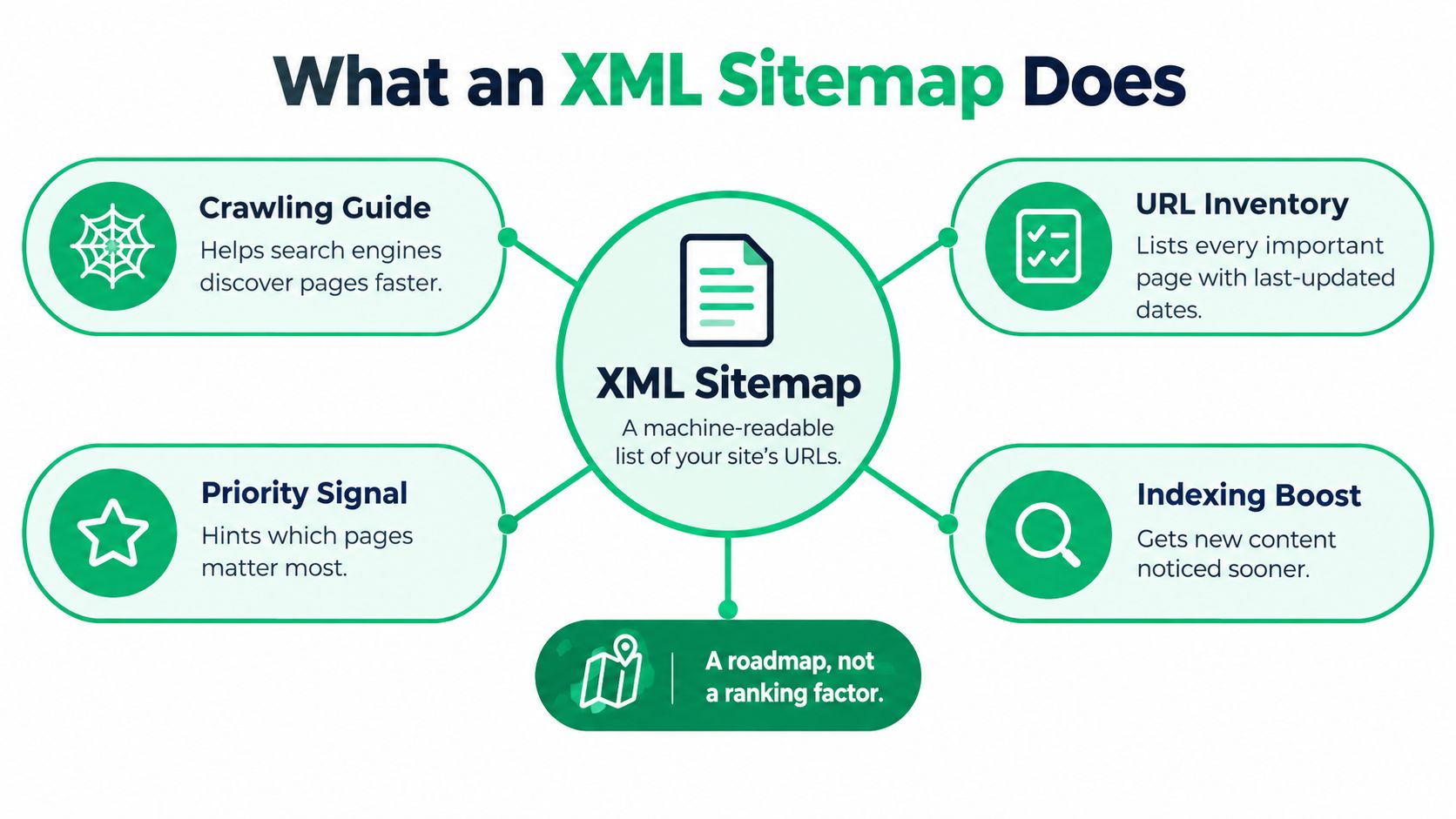
A map of preferred URLs, not an indexing command
A sitemap provides a discovery and prioritisation signal. It does not force Google to crawl a URL or include it in search results. Content quality, accessibility, canonical configuration and internal links still influence what happens after discovery.
That explains why a page can appear in the sitemap yet remain absent from search results. The file may have helped Google find the address, but it cannot repair a thin service page, a noindex directive, a redirect or weak internal linking.
Practical rule: List the pages the business would be comfortable showing a potential customer, rather than every URL the CMS generates.
A sitemap index can organise separate files for larger sites or distinct content groups. Smaller businesses generally gain more from clear grouping and regular maintenance than from creating one oversized, difficult-to-check list.
Internal links still matter. Link important pages from relevant navigation, service hubs and location pages so crawlers can reach them through the site as well as through the sitemap. This technical SEO checklist for small business can help identify related crawl and indexing issues.
Which URLs and metadata belong in an XML sitemap
The inclusion test is simple: include a URL only when it is canonical, indexable and valuable. For an Australian service business, that normally means the current HTML version of a service page, location page, homepage or useful commercial content page.
A suitable sitemap URL should generally:
- Return a healthy response: The preferred page should return 200 OK, rather than sending visitors or crawlers through a redirect or error.
- Match the canonical version: The URL in the file should be the version the page identifies as canonical.
- Remain crawlable: Robots rules must not prevent search engines from accessing it.
- Remain indexable: A
noindexdirective shouldn't tell search engines to exclude the page. - Offer genuine value: Thin duplicates, temporary campaign pages and internal utility URLs don't belong just because they exist.
- Stay reachable through the site: Important pages should have sensible internal links, rather than existing only inside the sitemap.
A canonical URL is the preferred address for a piece of content. If both an HTTP and HTTPS version exist, or if parameters create several versions of the same service page, the sitemap should list only the preferred canonical form. Including alternatives creates mixed signals and gives crawlers more URLs to process without adding useful content.
Choosing metadata without creating noise
Every URL needs its location, or loc, value. Optional fields can provide additional context, but they should be treated carefully.
The most useful optional field is usually lastmod. Google says it has value when it is consistently and verifiably accurate, and when it reflects a meaningful content change. Updating a copyright year or changing a minor decorative element isn't a meaningful reason to claim that a page was substantially updated. Google's sitemap construction guidance explains this distinction.
The priority and changefreq fields are often over-managed. They don't turn a weak page into a priority page, and they shouldn't distract a business from fixing canonical, indexability or linking problems. Accurate URL selection matters more than filling every optional tag.
For a Melbourne business, the highest-value file is usually a clean list of current commercial URLs. A service page that returns 200 OK, is internally linked and answers a clear customer need deserves inclusion. A near-duplicate suburb page with little unique information doesn't become useful because a generator adds it to the sitemap.
Structured data is a separate technical layer. A business considering what schema markup is shouldn't treat schema and sitemap entries as interchangeable. Schema describes entities and page meaning, while the sitemap identifies preferred URLs for discovery.
Extended sitemap features and file size limits
XML sitemaps are more flexible than a plain text URL list because the format can carry additional metadata. They also cover more ground than RSS or Atom feeds for site discovery, because feeds commonly focus on recent items while a sitemap can represent the broader set of URLs a site wants search engines to know about. Google's background explanation of these differences appears in its sitemap FAQ.
The format still has hard mechanical boundaries. A sitemap file must be UTF-8 encoded, and its data values must be entity-escaped. Each file can contain no more than 50,000 URLs and must be no larger than 50MB uncompressed, according to the official Sitemap Protocol.
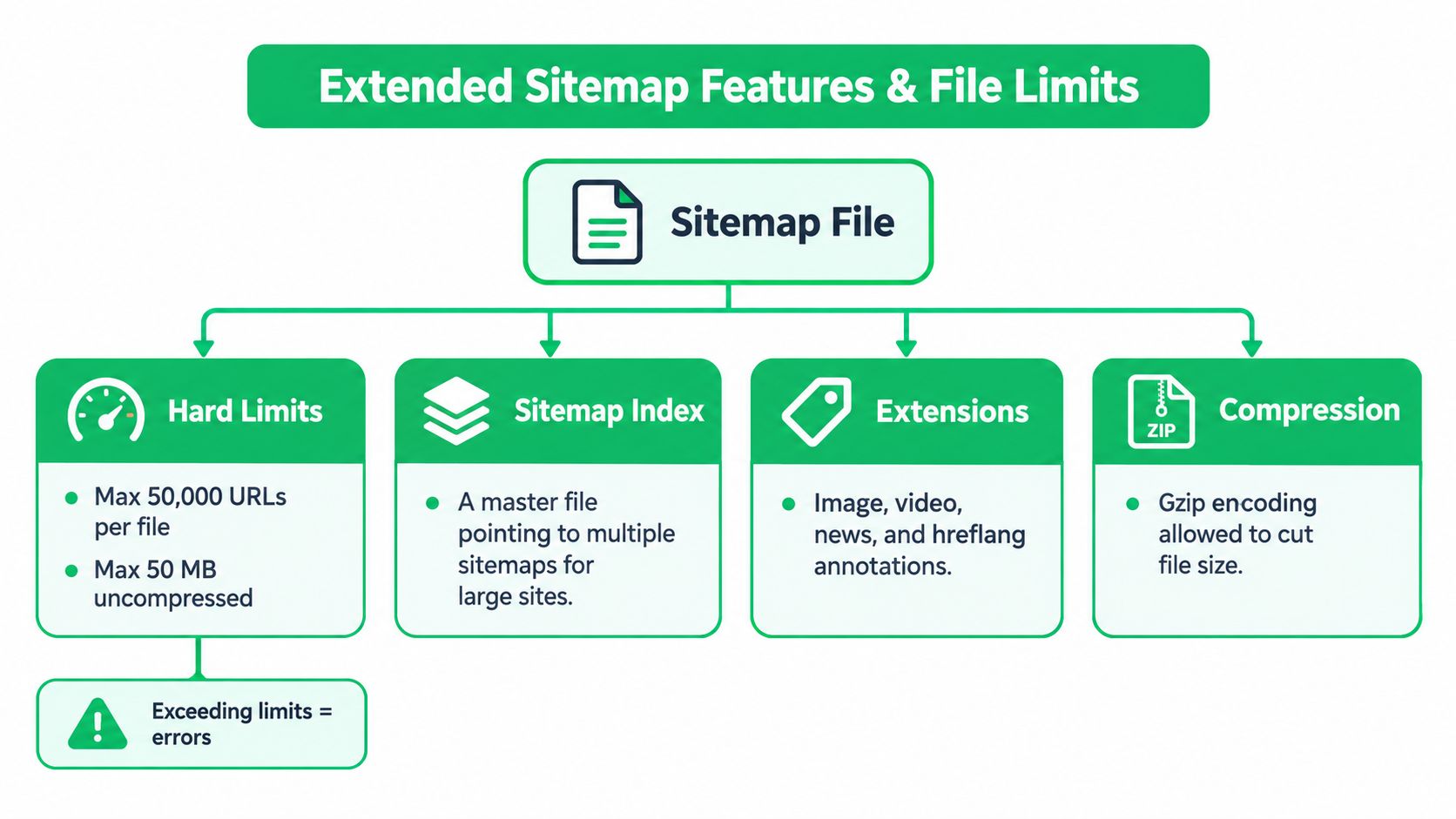
When one file becomes several
The URL limit and the file-size limit are independent. A site can reach either boundary first, so a large website shouldn't rely on URL count alone when deciding whether to split its files.
A sitemap index is a separate XML file that points to multiple sitemap files. A growing business might organise files by content type, such as:
- Core pages: Homepage, about page, contact page and primary commercial pages.
- Services: Individual service URLs and supporting service content.
- Locations: Permanent, useful suburb or service-area pages.
- Editorial content: Articles or resources that meet the site's quality and search intent standards.
The index provides organisation, but it doesn't excuse poor inclusion decisions. Five clean files are more useful than five files filled with redirects, duplicates and blocked URLs.
Compression can reduce transfer size, but it doesn't change the uncompressed protocol limit. The underlying XML must still be valid, correctly encoded and accurately generated. If a content management system creates malformed XML, compression only hides the problem until Search Console reports it.
How to submit and validate your sitemap in Search Console
A sitemap isn't finished when its URL has been copied into a browser. The owner or technical team should check that the file loads publicly, returns the expected XML, contains the correct domain and lists the preferred URL versions.
The practical submission process is:
- Open the verified property: Use the correct domain or URL-prefix property in Google Search Console.
- Open the Sitemaps report: Enter the sitemap URL, such as
/sitemap.xmlor/sitemap_index.xml, then submit it. - Check processing: Confirm that Search Console can fetch and parse the file.
- Inspect reported problems: Look for malformed XML, inaccessible files, unexpected URLs or sitemap-level errors.
- Compare the file with the site: A sitemap should agree with canonical tags, robots rules, noindex directives and the current page inventory.
- Recheck after major changes: Website migrations, service removals and URL restructures can make an old sitemap inaccurate.

Validation is more useful than submission alone
Submission tells Google where the file is. Validation helps establish whether the file is useful. A business should review whether the sitemap is reachable without authentication, whether the XML parses correctly and whether the listed URLs represent pages the business wants indexed.
Search Console can also reveal a mismatch between submitted URLs and wider indexing outcomes. That mismatch isn't automatically a sitemap failure. It may point to content quality, canonical selection, internal linking or access problems that need separate attention.
Large sites that exceed either file boundary should split their content into multiple sitemap files and group them with an index. Google's guidance for large sitemaps confirms this approach and notes that Search Console allows up to 500 sitemap index files per site in an account.
The sitemap should work alongside internal links, a clean site architecture and useful page content. It can't compensate for a service page that customers can't reach, a location page with no distinct value or a website that blocks crawlers from important sections. Businesses reviewing broader warning signs can also use this guide to recognise signs a business needs SEO.
Why most small business sitemaps include too much wrong content
Adding every generated URL feels safe, but it usually produces a less trustworthy sitemap. A file full of redirects, duplicate variants and low-value pages doesn't give search engines a clearer picture of the site. It gives them more URLs to evaluate before they reach the pages that matter commercially.
Australian audit evidence illustrates how common these problems are. One AU-based audit summary reported 30.35% of tested websites had incorrect pages in sitemap.xml, 17.41% had no sitemap XML file found, and 84.88% had orphaned pages present in the sitemap, as reported in StudioHawk's Australian XML sitemap audit summary. The same source reported that 48.7% didn't reference the sitemap in robots.txt, 2.97% had invalid XML format, 4.45% had HTTP URLs inside HTTPS sitemaps, and 0.06% exceeded the size limit.
These figures don't mean every Melbourne business has the same problem. They do show why sitemap hygiene deserves a technical check rather than a one-time installation.
The common sources of sitemap noise
A generated sitemap can include URLs that should be removed or corrected:
- Redirect sources: List the final destination, not the URL that forwards somewhere else.
- Canonical alternatives: Exclude parameter versions, trailing-slash variations or other duplicates when they aren't the preferred address.
- Blocked URLs: A robots exclusion prevents crawlers from properly assessing a listed page.
- Noindex pages: A sitemap entry conflicts with an instruction not to index the page.
- Orphaned URLs: A page with no meaningful internal links may need structural improvement, removal or exclusion.
- HTTP entries on an HTTPS site: Mixed protocol versions weaken consistency.
- Malformed XML: One formatting error can prevent reliable processing of the file.
A sitemap should be a curated inventory, not an export of the entire content database.
XML sitemaps are more extensible than simple text files and more complete than feeds, but that flexibility only helps when the data is clean. For a service business, crawl efficiency improves when the file concentrates attention on live service pages, useful location pages and other index-worthy content instead of treating volume as a quality signal.
Practical sitemap strategy for Melbourne service businesses
A sensible small-business sitemap strategy starts with the commercial page inventory. Include the homepage, live service pages, worthwhile location pages and useful content that the business wants indexed. Remove redirects, duplicates, blocked URLs, noindex pages and thin pages that don't help a customer.
Keep lastmod data honest. A meaningful service-page revision can justify an updated value, while a cosmetic site-wide change shouldn't trigger dates across every URL. If the website grows beyond the file limits, split the content logically and use a sitemap index rather than allowing one oversized file to fail.
Search Console should be part of routine technical maintenance. After a redesign, migration or new location rollout, check whether the file is accessible, whether the URLs parse correctly and whether unexpected entries have appeared. The sitemap should support, not replace, internal linking, clear navigation, useful content and consistent canonical signals.
Businesses working on local visibility can pair this technical work with broader local SEO tips for Melbourne businesses. The central principle remains straightforward: list the URLs that deserve crawling and indexing, then keep the file accurate as the website changes.
SEO2RANK reviews XML sitemaps alongside crawlability, canonical URLs, internal linking and other technical SEO signals, with practical implementation and reporting for Melbourne service businesses. Visit SEO2RANK to discuss a sitemap review or a broader technical SEO assessment.
Find Out What Is Holding Your
Website Back
Get a practical SEO Snapshot showing the biggest issues and opportunities we can see across your search visibility, website and local presence.
GET YOUR FREE SEO SNAPSHOT