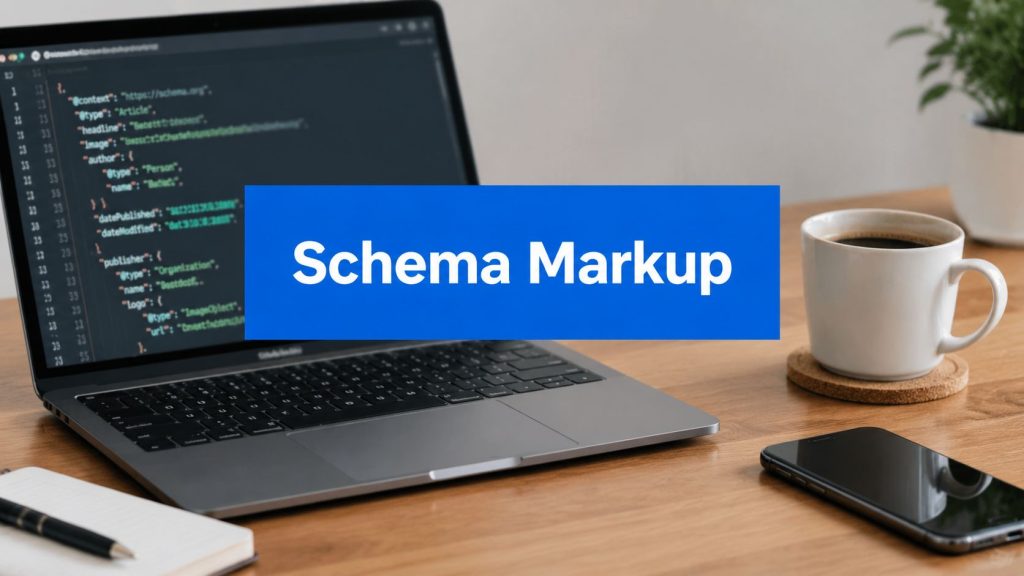
Schema markup is code added to a website that helps search engines such as Google understand page content and present it in more useful ways. Yes, it helps SEO, mainly by making relevant pages eligible for enhanced search features, although it doesn't guarantee higher rankings or a rich result.
A Melbourne plumber, dentist, accountant or builder usually encounters schema at the least glamorous stage of SEO. The website has service pages, suburb pages and contact details, but Google still has to interpret what each page represents. Structured data gives search systems clearer information about the business, its services, its location and the relationships between those facts.
The practical question isn't whether every possible schema type should be added. It's which markup matches the page, reflects visible information and supports the way local customers search.
Table of Contents
- The Short Answer What Schema Is and Why It Matters
- How Schema Markup Actually Works
- How Schema Really Helps Your SEO
- Key Schema Types for Melbourne Service Businesses
- How to Add Schema Markup to Your Website
- Checking Your Work Tools for Testing Schema
- Frequently Asked Questions about Schema Markup
The Short Answer What Schema Is and Why It Matters
Schema markup is a code vocabulary added to a website to help search engines understand content more deeply. It can identify a business, service, product, review, article, location or other page element in a machine-readable format. Google uses structured data to understand page content and determine whether a page is eligible for enhanced search presentation, including rich results. Google's structured-data guidance for Australian businesses describes schema as a standardised way to provide information about a page and classify its content.
The easiest analogy is a labelled box. A human can open a box and work out whether it contains plumbing parts, dental supplies or accounting documents. A search engine can read the words on a page, but explicit labels make the meaning easier to interpret. Schema can identify a business name as a business name, an address as an address and a service as a service, rather than leaving every relationship to inference.
That clarity can make a page eligible for richer search features. A standard listing may show a title, URL and description. An enhanced listing can present additional information when Google supports that format and chooses to display it. The presentation can make the result more informative and more noticeable to a person comparing local providers.
Schema won't repair weak content, poor site architecture or an inaccurate Google Business Profile. It also isn't a shortcut to page-one rankings. The useful answer to “What is schema markup and does it help SEO?” is therefore qualified but positive: it supports SEO by improving machine readability and search-result eligibility, not by guaranteeing a ranking boost.
For readers who encounter unfamiliar SEO terms, a plain-English SEO glossary can help distinguish structured data from related concepts such as metadata, indexing and ranking signals.
How Schema Markup Actually Works
A normal web page contains information written for people. Structured data adds a machine-readable description of what that information means. The shared vocabulary comes from Schema.org, a collaborative project that defines types and properties for entities such as organisations, services, products, people, events and places.
A warehouse analogy makes the relationship clearer:
- Structured data is the labelling system.
- Schema.org supplies the agreed labels.
- JSON-LD is the format used to attach those labels to a page.
- Search engines read the labels and assess whether the page qualifies for an enhanced result.
Google recommends JSON-LD for structured data. It normally appears inside a script in the website code, rather than as visible text on the page. A visitor might see “emergency plumber in Richmond” in a heading and contact section, while the JSON-LD separately identifies the organisation, service and area served for search systems.

The parts that matter
A schema item usually contains:
- A type, such as
LocalBusiness,Organization,ServiceorProduct. - Properties, such as name, address, telephone, description or service area.
- Relationships, which connect a service to the organisation providing it or a page to the business it describes.
- Identifiers, where appropriate, to help systems distinguish one entity from another.
The code doesn't replace the visible content. A business shouldn't put an address into schema if the page gives a different address, hides the information from visitors or uses outdated details. Google's documentation treats structured data as a way to help Search understand content and make pages eligible for enhanced appearances, not as a licence to add claims that the page doesn't support.
For a local operator, accuracy matters more than volume. A single well-structured business identity connected to relevant service pages is generally more useful than a collection of unrelated types added because a plugin makes them available.
How Schema Really Helps Your SEO
Schema's strongest SEO contribution is eligibility, not direct ranking power. Google's structured-data documentation frames the feature as a way to help Search understand a page and qualify it for enhanced search appearances. That distinction matters because a business owner can spend time adding markup and still see no change in position.
A standard search result gives a person limited information before the click. A supported rich result can provide more context, depending on the page type, the markup and Google's own systems. That extra context can help a searcher decide whether the result matches the need, which may improve click behaviour even when the result's position stays the same. The Australian discussion of structured data's development from keyword-focused SEO towards entity-based SEO explains this distinction clearly. This overview of schema markup in Australia also describes richer presentation as a potential click-through benefit rather than a guaranteed ranking change.

What changes for a local business
For a Melbourne service business, schema can clarify three practical questions:
- Who is the business? The organisation's name, identity and contact details can be represented consistently.
- What does it provide? Commercial pages can identify services or products rather than presenting a block of ambiguous text.
- Where does it operate? Location and service-area information can be expressed in a structured way.
That entity clarity supports the broader move from matching isolated keywords to understanding entities and relationships. A page isn't only about the phrase “blocked drain Richmond”. It may describe a plumbing service, offered by a particular business, serving a particular area, with a particular contact route.
Practical rule: Treat schema as a communication layer for search engines, not as a substitute for useful pages or a promise of higher rankings.
The trade-off is straightforward. Adding valid markup takes technical attention and creates an ongoing maintenance task. Opening hours, addresses, services and business relationships can change. If the code falls out of step with the page or business listings, it becomes less trustworthy and may lose eligibility for enhanced presentation.
A sensible SEO plan therefore measures the right outcome. It checks whether important pages are crawlable and indexed, whether valid structured data is detected, whether enhanced features appear, and whether qualified enquiries improve. A ranking report alone cannot prove that schema created the result. Readers who need the wider context can review this explanation of how SEO works.
Key Schema Types for Melbourne Service Businesses
A Melbourne service business doesn't need every schema type in the vocabulary. The most useful setup usually starts with LocalBusiness and Organization on the homepage, followed by Service or Product on relevant commercial pages. This approach gives search engines a clearer model of who the business is, what it offers and where it operates. Australian schema implementation guidance for local businesses supports that prioritisation.
The examples below use fictional details. They show the shape of the markup, not copy that should be published without replacing every placeholder and validating the result.
LocalBusiness for the core entity
A plumber with a Richmond service area may use LocalBusiness markup on the homepage or a location-focused page. The visible page should contain the same identity information.
{
  "@context": "https://schema.org",
  "@type": "LocalBusiness",
  "name": "Richmond Plumbing Co",
  "url": "https://www.example.com.au/",
  "telephone": "+61 3 9000 0000",
  "address": {
    "@type": "PostalAddress",
    "streetAddress": "10 Example Street",
    "addressLocality": "Richmond",
    "addressRegion": "VIC",
    "postalCode": "3121",
    "addressCountry": "AU"
  },
  "areaServed": {
    "@type": "City",
    "name": "Richmond"
  }
}
The address must be genuine and consistent with the business's public listings. A service-area business shouldn't invent a staffed address to appear local.
Service for a commercial page
A page specifically about blocked drains, hot-water repairs or emergency plumbing can use Service markup when the page describes that service.
{
  "@context": "https://schema.org",
  "@type": "Service",
  "name": "Blocked Drain Plumbing",
  "serviceType": "Blocked drain inspection and repair",
  "provider": {
    "@type": "LocalBusiness",
    "name": "Richmond Plumbing Co",
    "url": "https://www.example.com.au/"
  },
  "areaServed": {
    "@type": "City",
    "name": "Richmond"
  }
}
The service name should match the page's heading and copy. Marking up every conceivable service on one page creates a muddled description rather than a useful one.
FAQ for genuine visible questions
FAQ markup should describe questions and answers that are visible on the page. It shouldn't be used to hide promotional claims or manufacture search-result space.
{
  "@context": "https://schema.org",
  "@type": "FAQPage",
  "mainEntity": [
    {
      "@type": "Question",
      "name": "Do you repair blocked drains in Richmond?",
      "acceptedAnswer": {
        "@type": "Answer",
        "text": "Richmond Plumbing Co provides blocked drain inspection and repair services in Richmond and nearby suburbs."
      }
    }
  ]
}
Eligibility doesn't mean Google must show expandable questions. A useful FAQ still helps customers, even when the enhanced format doesn't appear.
Review markup requires restraint
Reviews are often mishandled. A business shouldn't expect star treatment by marking up its own testimonials, and review data must represent genuine, relevant information that follows Google's requirements.
A basic review object might look like this:
{
  "@context": "https://schema.org",
  "@type": "Review",
  "itemReviewed": {
    "@type": "LocalBusiness",
    "name": "Richmond Plumbing Co"
  },
  "author": {
    "@type": "Person",
    "name": "Customer Name"
  },
  "reviewBody": "The review text shown on the page.",
  "reviewRating": {
    "@type": "Rating",
    "ratingValue": "5"
  }
}
The example must not be published with invented customer information. If the page doesn't display the review, the markup shouldn't add it behind the scenes.
Product for a tangible offering
A dentist may have products available for purchase, while a café may sell packaged goods online. Product markup belongs on a page that accurately describes a product and, where relevant, provides accurate offer information.
{
  "@context": "https://schema.org",
  "@type": "Product",
  "name": "Custom Sports Mouthguard",
  "description": "A custom-fitted sports mouthguard provided by a South Yarra dental practice.",
  "brand": {
    "@type": "Brand",
    "name": "South Yarra Dental"
  }
}
A service appointment isn't automatically a Product. The type should reflect the page and the customer's actual transaction. Local businesses deciding which pages deserve attention can use a Melbourne local SEO checklist alongside the page's commercial priorities.
How to Add Schema Markup to Your Website
Implementation should match the website's platform, the number of pages involved and the business's ability to maintain accurate information. JSON-LD is Google's recommended format, and it can be added without changing the visible design.

Option one, use a CMS or SEO plugin
WordPress businesses commonly use tools such as Yoast SEO or Rank Math to generate baseline structured data. A plugin can reduce manual coding and may connect organisation details across the site. It still needs configuration, review and testing.
The plugin should not be left to guess the business identity. Check the organisation name, logo, URL, phone number and address. Review the output after theme or plugin changes, especially if several tools are generating overlapping markup.
Option two, add JSON-LD manually
A developer can place a JSON-LD script in the page's HTML, normally in the <head> or another supported location. Manual implementation gives precise control and works well with templates for service pages, provided the template only inserts values that belong to that page.
A generator can provide a starting point, but generated code isn't automatically correct. Every property needs to be checked against the live page and the business's trusted listings.
Option three, deploy through Google Tag Manager
Google Tag Manager can be useful where the business needs a flexible deployment route and development access is limited. It adds another layer to test, monitor and maintain, so it isn't automatically the best option for a small site with simple page templates.
For Australian local businesses, identity fields deserve special attention:
- Address: Use the full, accurate street address where an address is legitimately applicable.
- Telephone: Keep the phone number in a consistent Australian format, including the
+61country format where used. - Geo coordinates: Use accurate coordinates rather than approximate or copied values.
- Area served: Describe service coverage at relevant suburb level when the page and business fully support it.
- Cross-platform consistency: Match the website, Google Business Profile and directories.
Google's official introduction to structured data confirms JSON-LD as the recommended format and emphasises that structured data should represent the page content. Conflicting identity details weaken the clarity that schema is intended to provide.
Checking Your Work Tools for Testing Schema
A schema script can look tidy and still contain invalid properties, syntax problems or unsupported combinations. Validation should happen before deployment and after major website changes.
Google's Rich Results Test checks whether a page's structured data can support Google's enhanced search features. It can reveal detected items, errors and eligibility information. Eligibility remains conditional, but a failed test identifies a technical problem that should be addressed.

The Schema Markup Validator checks the broader Schema.org structure. It can be useful when a type isn't connected to a Google rich-result feature but still needs to be technically coherent.
What the test output means
- Error: A required element, syntax rule or supported property has failed. Fix it before treating the implementation as complete.
- Warning: The markup may still be understood, but an optional or recommended detail needs consideration.
- Detected item: The tool has found structured data, but detection alone doesn't confirm that every field is accurate or that Google will show an enhancement.
- Eligibility: The page meets technical conditions for a feature, but Google still decides whether and when to display it.
Testing should cover the live URL, not only a code snippet. A plugin can alter the final HTML, a cache can serve old markup and a template can create duplicate entities. Businesses with broader technical problems can use an SEO audit to assess structured data alongside crawlability, indexing and page quality.
Frequently Asked Questions about Schema Markup
Can multiple schema types appear on one page?
Yes, when the types describe content that exists on the page. A service page might describe the organisation, the service and visible questions. The items should be connected clearly, rather than added as unrelated blocks.
Does schema guarantee a rich result?
No. Valid markup can make a page eligible for an enhanced search feature, but Google decides whether to display it. The decision can depend on the page, the search, the feature and Google's systems. Schema should be treated as a qualification layer, not a display guarantee.
What is the most common local mistake?
Inconsistent business information is a frequent problem. An address, phone number or service area in the schema should agree with the visible website content and the business's Google Business Profile and directory information. Contradictions make entity identification harder.
Should a Melbourne service business prioritise FAQ or review markup?
The practical priority is usually the business identity first, then the commercial service pages. Australian local visibility depends heavily on accurate LocalBusiness and Organization data, not on adding FAQ or review markup everywhere. Google's structured-data search gallery shows that eligibility depends on supported page types and requirements, so the right markup is the type that matches the page and the business goal.
Is schema worth adding if rankings don't change?
It can be, especially for important local and commercial pages where clearer search presentation could help qualified searchers choose a result. It shouldn't outrank basic SEO work such as useful service content, accurate business details, crawlable pages and clear conversion paths.
SEO2RANK helps Melbourne service businesses audit, implement and measure technical SEO work, including structured data, local visibility and commercial service pages. Businesses that want a practical review of which schema types fit their website can visit SEO2RANK to explore the next step.
Find Out What Is Holding Your
Website Back
Get a practical SEO Snapshot showing the biggest issues and opportunities we can see across your search visibility, website and local presence.
GET YOUR FREE SEO SNAPSHOT