
There's no fixed technical limit for a meta description, but 150 to 160 characters is still a useful desktop target, and roughly 120 characters is a safer mobile target. The primary task is to put the most important information in the opening sentence, because Google can truncate the snippet or replace it entirely with page content.
Most bad advice on this topic starts with the character count and ends there. That's backwards. A meta description is a search-result summary, not a place to satisfy a plugin counter, and Google's own guidance makes clear that snippet selection depends on relevance and display width, not a hard limit.
Table of Contents
- Why the 160-Character Rule Is Misleading
- How Google Picks and Truncates Your Description
- Desktop vs Mobile How Display Changes the Answer
- Real Examples for Local Service Pages
- Editing Your Own Description Step by Step
- Testing, Measurement and Common Mistakes
- Key Takeaways for Melbourne Service Businesses
Why the 160-Character Rule Is Misleading
The old 160-character rule gets repeated so often that plenty of site owners treat it like a law. It isn't one. Google's snippet guidance says there's no fixed character limit for meta descriptions, and the displayed snippet is truncated as needed to fit the available device width. Google Search snippet guidance also shows that a result can be built from the meta description or from visible page content, depending on which passage better fits the query. Google's snippet documentation
That changes how the description should be written. A description is a controlled candidate for the snippet, not a guaranteed line of text. If the wording is vague, keyword-stuffed, or padded with branding before the offer, Google has little reason to use it.
For a Melbourne business, that means the opening words need to earn their place. A service page for a dentist, accountant, or plumber should usually front-load the service and location, then add the differentiator or action cue. A description written just to “hit 155 characters” often buries the useful part too late.
Practical rule: write for clarity first, then trim for display.
A character counter can still help during editing, but it should never lead the strategy. If the core offer is clear in the first sentence, the description can survive truncation and still do its job. If it doesn't, the extra characters are just decoration.
For a useful comparison of title-length thinking, see this guide to SEO title length.
How Google Picks and Truncates Your Description
Google starts with the query, then chooses the text that best fits that intent. In some cases, it will use the meta description. In others, it will lift a visible sentence from the page body or rewrite the snippet altogether if another passage answers the search better. The practical point is simple: the description is a candidate, not a guarantee, and Google's meta description guidance has long made that clear.
What truncation actually means
Truncation is not a fixed character limit buried in Search Console. It is a display choice based on the space available in the result. If the text runs longer than that space, Google cuts it off. The same wording can look complete in one result and shortened in another.
That makes the opening clause do most of the work. The first words need to carry the service, the location, and the main benefit, because the tail end may never appear. A description that saves the useful detail for the end is already working against itself.
Why two people can see different snippets
The snippet can change with the search term. A query like “emergency dentist Richmond cost” may pull a pricing sentence from the body, even if the page has a valid meta description. A broader query may surface a different line that better matches general intent. That is why the best description reads like a clear summary of the page, not a line written only to sound polished in isolation.
The safe assumption is simple. The description is what Google may show, not what Google must show.
For that reason, write for the query first. Put the service, location, and value proposition near the front. Keep the wording plain, because filler at the start is the first thing that gets lost. If Google uses your description, the point survives. If it rewrites the snippet, the body copy still needs to support the same message.
Desktop vs Mobile How Display Changes the Answer
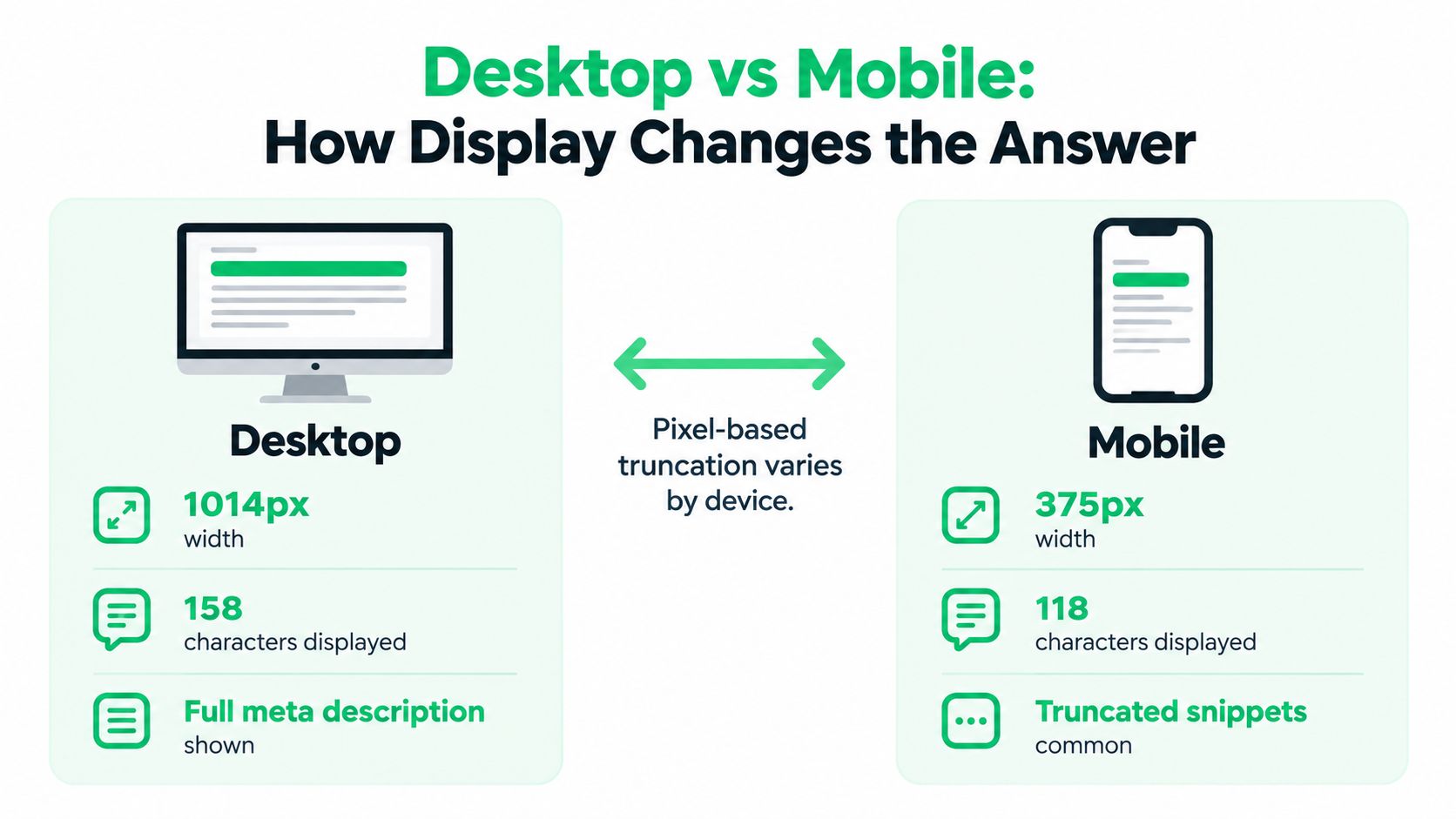
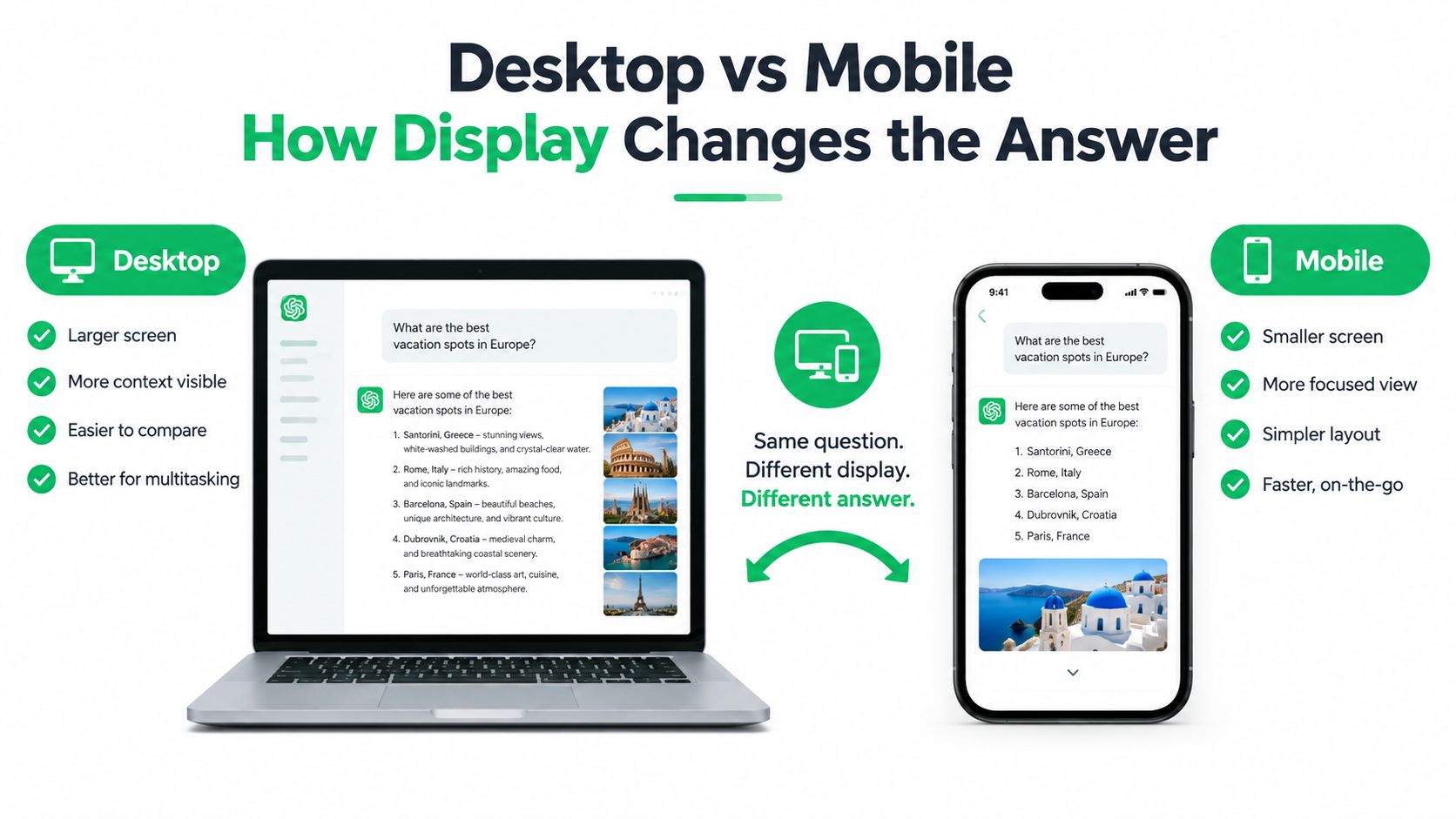
Desktop and mobile don't just differ in size, they change how much of the snippet users see. A longer description may look tidy in a desktop browser and feel cramped on a phone. That's why the best editing habit is to write for the smaller screen first, then check that the desktop version still reads naturally.
What survives on each screen
On desktop, there's usually a bit more room for a fuller sentence. On mobile, the available space shrinks fast, so the front of the description has to do most of the work. The practical outcome is that the service, suburb and primary benefit need to appear early, not after a brand flourish or a list of extras.
A Melbourne tradie page is a good example. “Blocked drain repairs in Brunswick. Fast response, clear pricing and experienced local plumbers” says more, sooner, than a line that starts with a company name and generic praise. The second version may still be useful, but it risks losing the message before the user sees it.
The working habit that saves time
Write the description as if the mobile user is the primary test case. Then read it aloud once. If the offer sounds clear after the first clause, it's probably in good shape. If the sentence needs the last ten words to make sense, it needs trimming.
A few things usually survive better than long flourishes:
- Service first: name the actual service before the agency name or a generic tagline.
- Location early: include Melbourne or the relevant suburb near the front.
- Benefit visible: give the user a reason to click, not just a topic.
- Plain wording: short words often display more cleanly than padded marketing language.
The exact length matters less than the order of information. A tight sentence that answers the query wins over a longer sentence that merely sounds polished.
Real Examples for Local Service Pages
The easiest way to write a useful meta description is to start with the service page's actual purpose. A local business doesn't need clever copy here. It needs a snippet that tells the searcher, fast, what the page offers and why it matters.

Four page types, four tighter openings
A Melbourne dentist page might begin with something like, “Family dentist in Richmond offering check-ups, emergency care and cosmetic treatments.” That puts the practice type and suburb up front. It works better than a vague line about friendly care because the searcher already knows the service category.
An accountant page needs a different angle. “Melbourne accountant for small businesses, BAS, tax returns and bookkeeping support” is direct and commercially useful. It signals the audience and the work before any softer positioning.
A plumber can be even more immediate. “Blocked drains, leaks and urgent plumbing repairs across Brunswick” gives the user a reason to stop scrolling. The description doesn't waste space explaining that plumbing matters. It names the problem and the area.
A B2B service page should still stay human. “IT support for Melbourne teams, with fast response times and clear monthly service plans” gives context without drifting into jargon. If the page is for a narrower niche, the niche should appear before the broader agency language.
For a broader checklist of what a service page should include, see this page-level SEO guide.
Why these openings work
Each example follows the same pattern, even though the industries differ. The service comes first, the geography follows, and the benefit arrives before the sentence runs out of room. That structure gives Google a cleaner summary candidate and gives the searcher a quicker yes-or-no answer.
A description like this also avoids the common trap of sounding like every other local business. If all the meaning sits in the final clause, the snippet loses force when it's clipped. If the page starts with the offer itself, the user sees the point even on a small screen.
Editing Your Own Description Step by Step
A good meta description usually gets better through removal, not addition. The draft often starts with too much brand language, too many adjectives, and too little actual offer. Tight editing fixes that quickly.
Editing rule: keep only the words that help a searcher decide to click.
A realistic before and after
A draft might read like this: “We're a trusted Melbourne plumbing company providing a wide range of reliable services for homes and businesses across the local area.” It sounds pleasant, but it hides the useful part. The service is generic, the location is late, and the sentence spends too much time praising itself.
A tighter version reads more like this: “Melbourne plumbing services for homes and businesses, including blocked drains, leaks and repairs.” That version says what the page is about, who it's for, and what problems it solves. It's shorter because it removes filler, not because it strips out meaning.
The checklist that usually improves the snippet
- Front-load the offer: put the main service in the first few words.
- Name the suburb or city early: don't bury location behind branding.
- Drop filler adjectives: words like “trusted”, “quality” and “professional” often add less than they cost.
- Keep the action cue visible: if there's an enquiry angle, make it clear without sounding pushy.
- Preview the snippet: check how it looks in a SERP preview tool before publishing.
The last step matters because a description that reads well in a document may still wrap badly in search. A preview exposes the actual display problem before it hits the page.
For keyword discovery that supports this work, see keyword research guidance for customer intent.
What to avoid while editing
Duplicating the same description across suburb pages weakens the page's distinctiveness. Keyword stuffing does the same thing in a more obvious way. And rewriting descriptions every few days makes it harder to interpret later click data, because the snippet keeps changing while the query set stays mixed.
A cleaner workflow is to write one strong version, publish it, and only revise it when the page purpose changes or the snippet clearly isn't doing its job. That keeps the page readable and the testing meaningful.
Testing, Measurement and Common Mistakes
Meta descriptions are worth testing, but only with the right expectations. They can make a snippet more clickable, yet they do not change rankings on their own. If you want the ranking question answered directly, see whether meta descriptions affect Google rankings.
A simple workflow that holds up
Write the description, check it on desktop and mobile, publish it, then watch the affected queries in Search Console over the following weeks. The goal is not a perfect line of copy. It is a summary that matches what searchers are likely to click.
Use a SERP preview before you publish. The same sentence can look fine in a doc and get clipped awkwardly in search, especially on mobile where the opening words carry most of the load. Keep the service, location and main benefit near the front so the useful part survives truncation.
If you want a broader page review, an on-page SEO audit is the cleaner option. SEO2RANK includes that in its audit work, along with implementation and reporting, so meta descriptions are checked in context with headings, intent and internal links.
Three mistakes that keep showing up
- Duplicate descriptions: reusing the same wording across pages makes them blur together.
- Keyword strings: stacking search terms makes the snippet harder to read and less likely to be selected.
- Constant rewrites: changing the copy too often makes it difficult to tell what improved.
The better habit is steady and repeatable. Write the description for the query, keep the most important phrase near the front, and let the page run long enough to produce a useful signal. That approach gives you cleaner testing than chasing a mythical character count.
Key Takeaways for Melbourne Service Businesses
The safest answer is simple. How Long Should a Meta Description Be? Long enough to communicate the page's offer clearly, short enough that the important part survives truncation. For most service pages, that means the opening sentence does the heavy lifting, and the rest should support it.
Treat the meta description as a snippet candidate, not guaranteed copy. Put the service, location and main benefit up front, then trim away anything that doesn't help the click decision. For Melbourne businesses, that usually beats trying to satisfy a fixed character number that Google does not enforce.
If a team wants hands-on help with on-page SEO, content updates and measurement as part of a broader local search program, SEO2RANK works on those pieces together rather than in isolation.
SEO2RANK helps Melbourne service businesses tighten page-level SEO, including meta descriptions that match search intent and support better snippets. If this page needs a clearer on-page structure or a broader local visibility plan, visit SEO2RANK to take a look at the services and approach.
Find Out What Is Holding Your
Website Back
Get a practical SEO Snapshot showing the biggest issues and opportunities we can see across your search visibility, website and local presence.
GET YOUR FREE SEO SNAPSHOT