
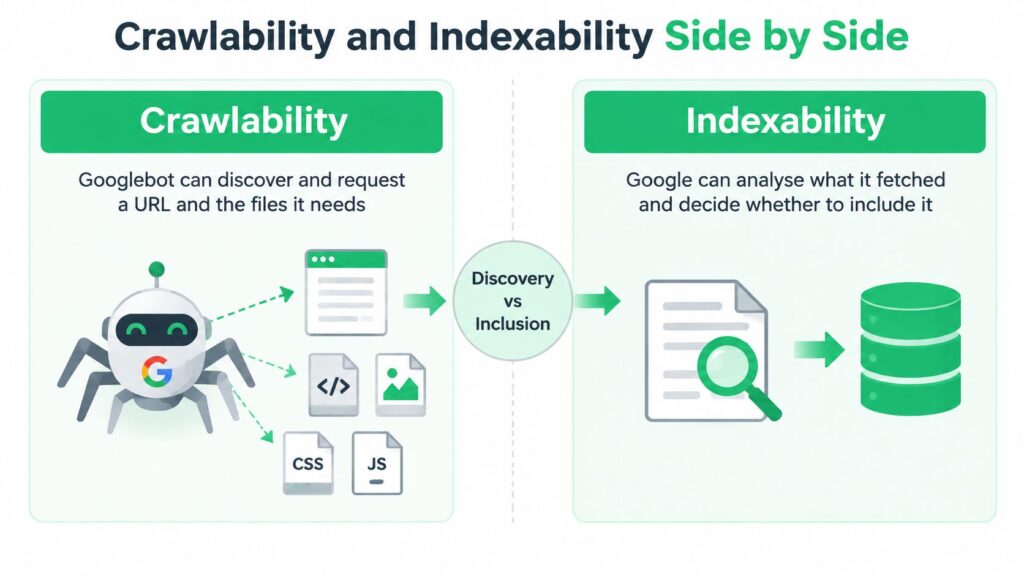
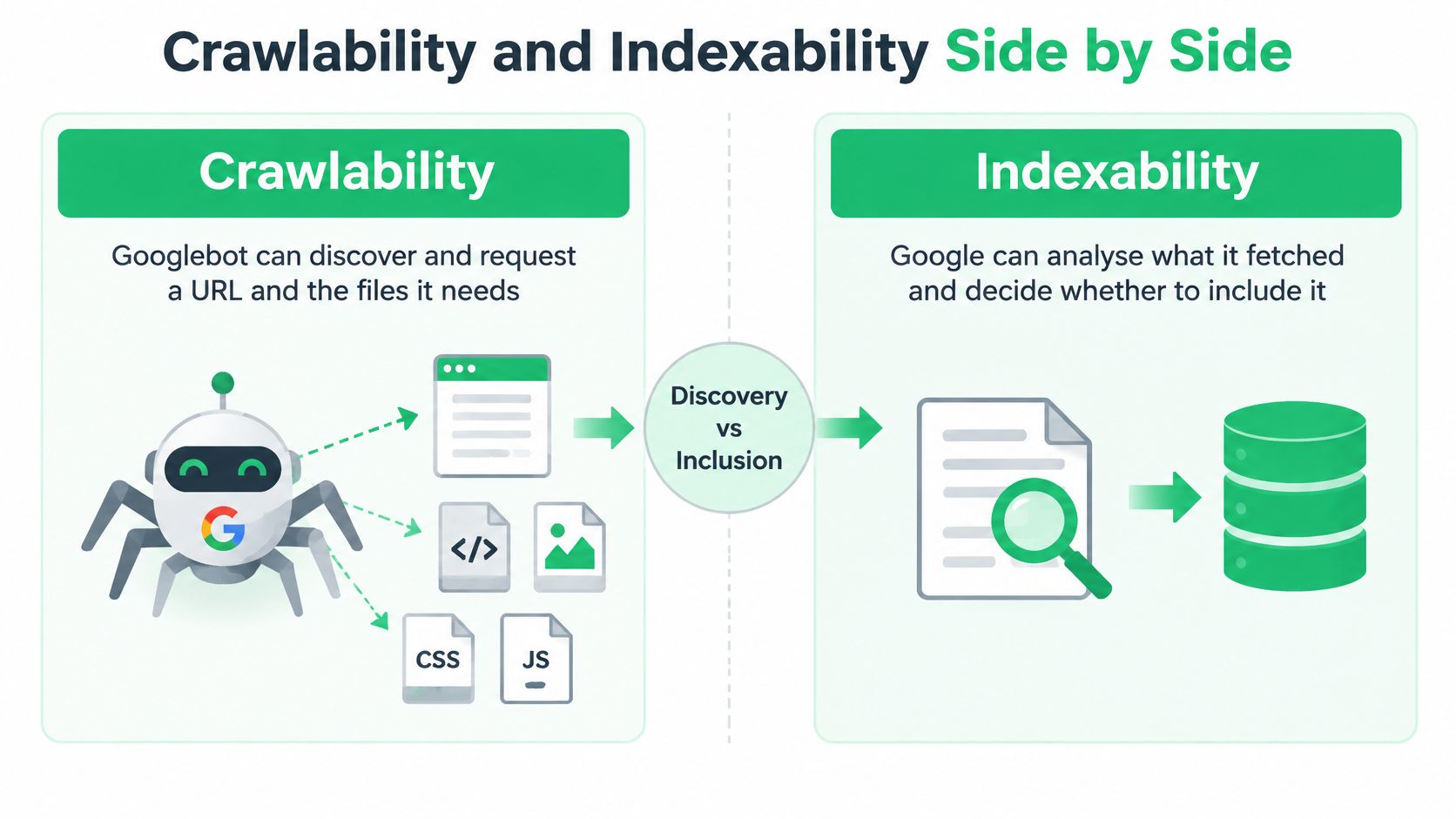
Crawlability is whether Googlebot can request a page; indexability is whether Google can store it and potentially show it in Search. Either can fail while the other succeeds, so making a page accessible doesn't automatically make it eligible for search results.
The common advice to unblock Google or submit a sitemap misses that distinction. A Melbourne service page might load perfectly but carry an instruction excluding it from Search, while a blocked URL might still appear because Google discovered links to it. The useful question isn't whether a page is missing, but which stage is preventing its inclusion.
Table of Contents
- Crawlability and Indexability Side by Side
- How to Test Each Stage Separately
- Controls That Change Crawl or Index
- When the Mobile Page Tells a Different Story
- Which Fix Comes First on a Small Site
- Decide When a Technical Review Helps
Crawlability and Indexability Side by Side
Crawlability concerns access and discovery. Indexability concerns eligibility and inclusion. Googlebot needs to discover a URL, request it and receive the resources needed to understand its content, but Google can still decide not to retain that page.
Google's crawling and indexing documentation separates these processes and explains that discovery, crawling and indexing aren't guaranteed. An XML sitemap helps Google discover new or updated URLs, but it doesn't guarantee crawling, indexing or ranking, and Google cannot predict when a particular URL will be processed.
Crawlability versus indexability at a glance
| Stage | Plain meaning | Main control | Typical failure | A pass does not prove |
|---|---|---|---|---|
| Crawlability | Googlebot can discover and request the URL and needed files | robots.txt permission, HTTP 200, links or sitemap discovery | Disallow rule, 4xx or 5xx response, no path to the URL | That the page will be indexed or ranked |
| Indexability | Google can store the fetched page so it might appear in Search | No noindex, appropriate self-referencing canonical, indexable content | noindex, canonical elsewhere, duplicate or thin page | Rankings, traffic or enquiries |
The controls in the table aren't interchangeable. A robots.txt rule manages crawler requests, while a robots meta tag or X-Robots-Tag can tell Google not to index content it can access.
A canonical identifies the preferred URL when pages contain the same or substantially similar content. It's a signal rather than a binding instruction, so a self-referencing canonical doesn't guarantee Google will select that URL.
How a page can pass one test and fail the other
Consider a hypothetical dentist's suburb page. Googlebot successfully retrieves the page, including its service description and booking information, but the template contains noindex. Access has succeeded; indexing eligibility hasn't.
Another page might be accessible and contain no exclusion directive, yet still not be selected because it closely duplicates another service page or offers little distinct information. Weak internal links can also make discovery and ongoing access less reliable, even when the page itself has no technical block.
The opposite situation needs careful wording: an indexed URL isn't necessarily currently crawlable. Google might retain a previously known URL after access changes, or know about a blocked URL through links without being able to fetch its content.
Why the distinction matters commercially
The Australian Bureau of Statistics reported that 51% of businesses used social media for their online presence and 32% received orders online in 2024–25, yet only 7% measured digital activities' contribution to business performance. For a dentist, plumber or accountant, a commercially important page can remain absent after the business has already paid for copy and photography. Separating access from eligibility makes the next investment easier to justify.
Practical rule: Confirm that Google can fetch the preferred page, then establish whether Google can index it. A missing ranking alone doesn't identify either fault.
That order prevents a vague SEO discussion from becoming an expensive round of unrelated changes. Better access creates an opportunity for visibility; it doesn't promise rankings.
How to Test Each Stage Separately
A useful audit follows a URL through access, response, content and indexing status. Starting with a core service page keeps the checks tied to enquiries rather than an undifferentiated list of website warnings.
Google's minimum technical requirements include allowing Googlebot access, returning HTTP 200, and providing indexable content. Meeting those requirements still doesn't guarantee inclusion in Google's index.
Follow the diagnostic sequence
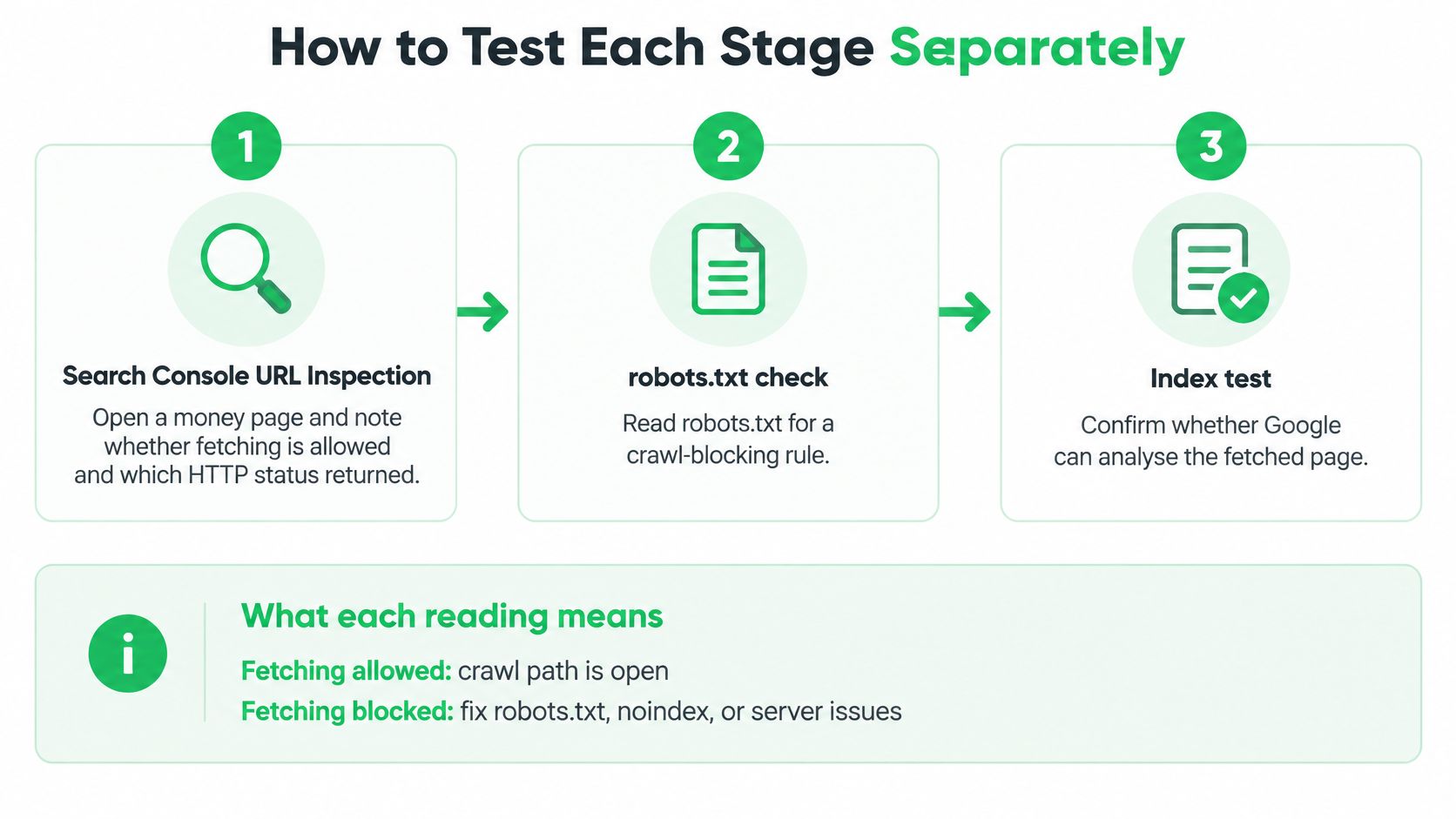
Inspect the exact URL in Search Console. Record the indexed-page information, crawl permission and page-fetch result. Run the live test to compare current access with Google's stored information; those views can differ after a recent fix.
Read the applicable robots.txt rules. Check whether a
Disallowcovers the page or required CSS and images. Public pages and their necessary resources should be accessible without a login.Check the response and redirects. Confirm that the preferred destination returns a successful response. A redirect loop or an unexpected change of host needs investigation before content editing.
Examine rendered HTML and response headers. Look for
noindexin robots metadata andX-Robots-Tagheaders, particularly in the mobile response. Checking only the visible page won't reveal every directive.Compare canonical signals. Inspect the declared canonical and, where available, Google's selected canonical. A difference calls for investigation, not an automatic assumption that the tag is broken.
Review the Page indexing report. Separate submitted URLs from crawled and indexed URLs, then read each exclusion reason. A submitted URL isn't necessarily an indexed URL.
Check non-HTML files appropriately. For a PDF or image that needs an indexing directive, inspect its HTTP
X-Robots-Tag. An HTML meta tag cannot control the contents of a non-HTML response.Use logs as access evidence. Verified Googlebot requests can establish whether crawling happened and what response was returned. They aren't a ranking score.
Interpret the result before changing anything
How to read each Search Console result
| Reading | Stage | Next step |
|---|---|---|
| Blocked by robots.txt | Crawl | Fix the Disallow rule, then request a recrawl |
| Server error or bad redirect | Crawl | Fix the host, status or redirect, then request a recrawl |
| Fetched with noindex in HTML or X-Robots-Tag | Eligibility | Remove noindex only if the page should appear in Search, then recrawl |
| Fetched with canonical pointing to another URL | Eligibility | Confirm the canonical target is the preferred URL |
| Crawled – currently not indexed | Quality or duplication to investigate | Improve or consolidate the page where warranted, then recheck |
| Submitted but excluded | Check the exclusion reason | Compare the reason with the matching stage above before changing anything |
Crawled – currently not indexed doesn't identify a single cause. It confirms that Google fetched the URL but hasn't indexed it at that point; duplication, content value or processing priority may need attention. An intentional alternate canonical or noindex exclusion can instead be a correct outcome.
For discovery checks, the guide to what an XML sitemap should include helps distinguish preferred pages from URLs that shouldn't be submitted. SEO 2 RANK's Technical Crawling & Indexation review covers robots, sitemaps and indexation patterns, keeping the diagnosis focused on those relationships.
Controls That Change Crawl or Index
robots.txt manages fetching. It isn't a reliable method of removing a URL from Search.
The correct control follows the objective: reduce requests, exclude accessible content, or identify the preferred duplicate. Google's robots.txt guidance explains that a blocked URL can still appear in Search when Google discovers it through links, even though Googlebot cannot retrieve its content.
Which control fixes which problem
| Problem | Stage | Use this | Avoid this |
|---|---|---|---|
| Money page blocked | Crawl | Remove the robots.txt Disallow and allow a recrawl | Adding noindex while the URL stays blocked |
| Service page accidentally noindexed | Index | Remove noindex from meta or header, then recrawl | Submitting a sitemap alone |
| Thin filters or site search | Index, after a crawl | Leave crawlable and add noindex | Disallow only and assume the URL drops |
| Duplicate suburb or service URLs | Index | Canonical to the preferred URL where content is genuinely equivalent | Blocking the duplicate in robots.txt |
| Staging or campaign URL | Index | Crawlable noindex, or keep it behind authentication | A disallow with no other exclusion |
| PDF or image that should stay out | Index via HTTP header | X-Robots-Tag on the file response | An HTML meta robots tag on a non-HTML file |
Avoid contradictory instructions
The common paired mistake is adding noindex and then blocking the same URL in robots.txt. Googlebot needs to fetch the page before it can process the exclusion instruction, so the block can prevent the intended removal.
Google's robots metadata documentation also confirms that Google doesn't support noindex inside robots.txt. The practical sequence is to permit crawling, place the directive in the HTML or HTTP response header, and allow Google to recrawl.
For staging sites containing confidential or unfinished material, authentication is safer than treating noindex as security. A noindex instruction concerns search inclusion; it doesn't stop someone with the URL from visiting an otherwise public page.
Choose controls proportionately
Core service pages, useful suburb pages and enquiry pages generally need both crawler access and indexing eligibility. Thin internal-search results and low-value filters may need crawlable noindex, while genuine duplicate service variants may be better represented through a preferred canonical URL.
robots.txt can reduce unwanted requests to faceted navigation, parameter combinations or non-essential files. However, a small local site usually gains little from aggressive blocking that risks cutting off an important service folder.
A large catalogue may justify tighter crawl controls than a compact service website. The plain-English robots.txt guide helps owners recognise what a rule covers before changing it. After a mistaken block is removed, Google still needs another opportunity to fetch the affected URL before its understanding can change.
When the Mobile Page Tells a Different Story
A redesign can pass a desktop crawler test while leaving Google with a different page. The desktop response might contain the correct service content and indexing directives, but the mobile template may omit that content or introduce an exclusion.
Google's mobile-first indexing guidance explains why the mobile version matters and warns against inconsistent robots directives, particularly noindex and nofollow. A noindex affects indexing eligibility; a nofollow affects link following, so they shouldn't be treated as identical instructions.
Hypothetical Melbourne page scenarios
These are illustrations of possible implementation faults, not reported cases or measured results.
A Richmond dental implants page: The desktop template permits indexing, but a mobile-specific layout adds
noindex. The page remains fetchable while the mobile response tells Google not to retain it.A plumber's separate mobile host: Each desktop suburb page has a matching mobile page, but the mobile template canonicals every suburb URL to the homepage. The relevant question is whether Google receives a coherent preferred URL for each service-area page.
An accountant's responsive theme: Fee and service information loads only after a tap, and the rendered page available to Google never receives it. This differs from content that's already present but collapsed for easier reading on a phone.
These faults call for different corrections. Removing a stray directive won't restore missing content, and adding more desktop copy won't repair a mobile canonical generated by the template.
Compare what Google actually receives
For the same URL, the reviewer should compare mobile and desktop delivery rather than relying on appearance alone:
- Response behaviour: Status codes, redirects and HTTP headers.
- Content availability: Source HTML and rendered primary service content.
- Indexing signals: Robots metadata, canonical targets and alternate annotations.
- Navigation and language signals: Internal links and hreflang where language versions exist.
A desktop pass is evidence about the desktop response, not proof that smartphone Googlebot receives an equivalent page.
Parity means consistent robots.txt rules, equivalent primary content and correct canonical and alternate annotations across versions. It doesn't require identical layouts.
For local firms whose enquiries begin on a phone, this is an indexability check, not merely a speed or design task. Local SEO technical checks should include crawlability, indexation, duplicate content, canonicals, mobile usability and other issues affecting the suburb and service pages intended to attract enquiries.
Which Fix Comes First on a Small Site
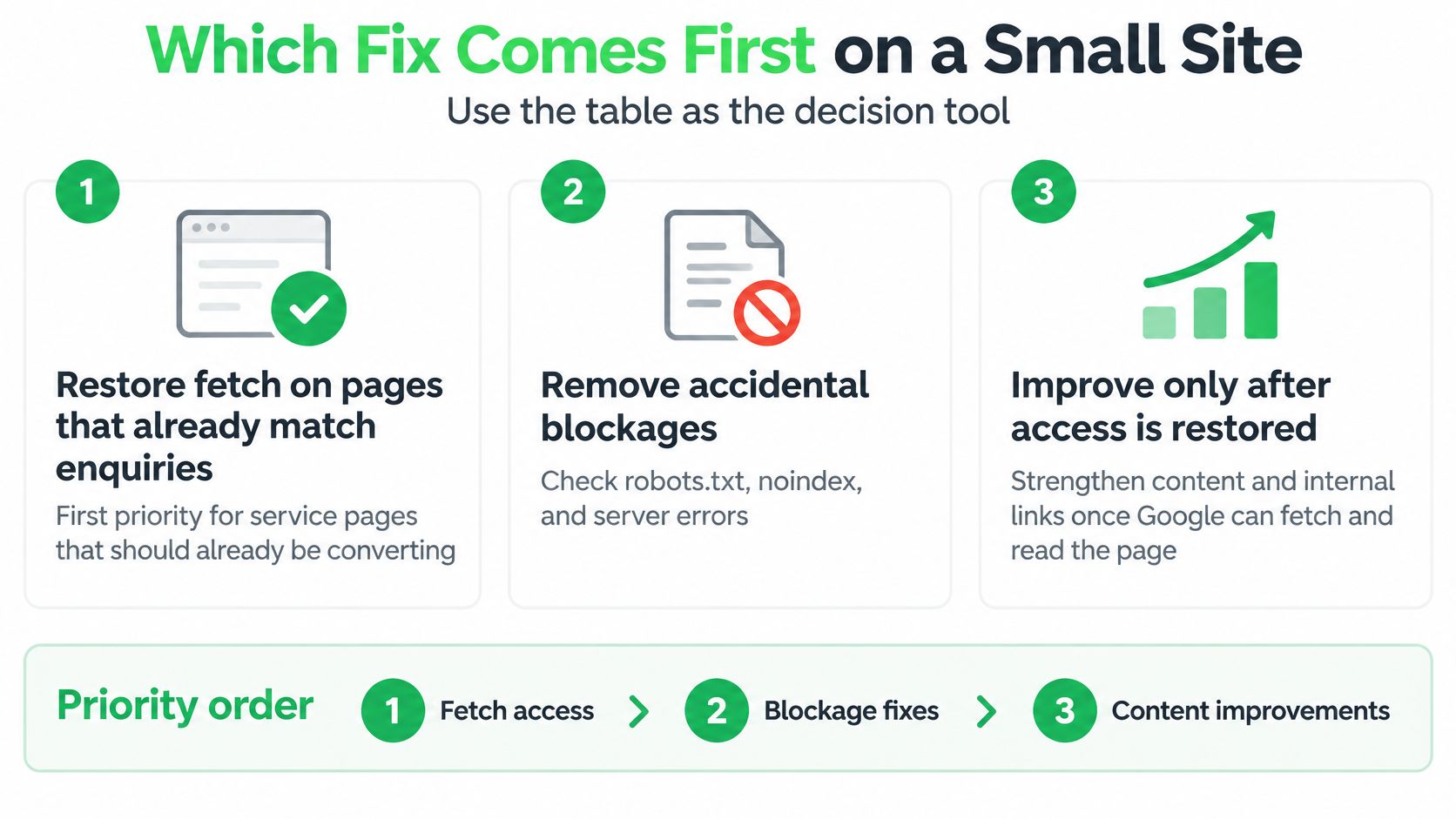
A small Melbourne service website needs a commercially sensible repair order, not an enterprise crawl-budget project. The best starting point is the fault affecting a page that already matches a valuable enquiry.
Rewriting a service page while its preferred URL returns an error is poorly timed. So is chasing every crawler warning while a template excludes the main service section.
Fix order for a small local website
| Order | Do this when | Expected outcome | Usual owner |
|---|---|---|---|
| 1. Restore fetch on money pages | URL Inspection says blocked, or the URL returns 5xx or a bad redirect | Googlebot can request the page again | Developer or host |
| 2. Remove bad noindex and canonicals | Page is fetched but excluded by noindex or another canonical | An accidental exclusion or conflicting preference is removed | CMS editor or SEO |
| 3. Match the mobile version | Desktop source passes and the mobile HTML differs | Mobile-first indexing receives equivalent content and signals | Developer |
| 4. Link and list the preferred URLs | Important URLs are rarely discovered | Better discovery, not guaranteed indexing | Site editor |
| 5. Reduce thin duplicates | URL is crawled and eligible but still not used | A clearer, more distinct page for Google to consider | Writer and SEO |
Match the job to the evidence
The order isn't a requirement to perform every task. If URL Inspection shows a fetched page excluded by an accidental directive, the eligibility fix comes first; there's no reason to rebuild working server access.
A host or developer usually handles server failures, redirect rules and template-generated problems. The person editing the CMS can often correct page-level search settings and add relevant internal links, provided the effect of the setting is understood.
Once access and eligibility are sound, service-page links should point to the preferred destinations, and the sitemap should list canonical, indexable URLs. For duplicated suburb pages, the decision is whether each deserves a distinct purpose or whether the business should consolidate them.
Keep the repair list accountable
SEO 2 RANK's Technical SEO service focuses on problems that can materially affect visibility rather than treating every crawler warning equally. Its Prioritise step identifies technical, content and authority improvements most likely to strengthen commercial search visibility.
Technical work can include crawling, indexing, site structure, speed, schema and other barriers to pages being found and understood. The technical SEO checklist for small businesses provides a broader checking framework without making every finding an urgent job.
After implementation, record the changed URLs and rerun URL Inspection on a fixed review schedule. Google doesn't commit to a recrawl date, so progress should be judged against the same URL list and recorded results, not an assumed waiting period.
Decide When a Technical Review Helps
A business owner can usually organise the first pass without commissioning a full website rebuild. A short list of enquiry-generating service and suburb pages, paired with their Search Console results, gives a reviewer something concrete to assess.
An obvious page-level noindex setting may be straightforward to correct. Shared robots.txt rules, hosting settings and bulk canonical changes deserve more caution because they can affect pages beyond the one being inspected.
Recognise when the problem needs specialist access
A technical review becomes useful when the cause crosses templates, platforms or access permissions:
- Mobile inconsistencies: Desktop and smartphone responses disagree.
- Bulk-generated canonicals: The CMS assigns unexpected preferred URLs across service pages.
- Rendering problems: JavaScript prevents primary content from appearing.
- Competing suburb pages: Several URLs repeat the same service information without a clear purpose.
- Missing access: Nobody can inspect Search Console, hosting responses or template settings reliably.
SEO 2 RANK's process starts with Access & Discovery, gathering the website, Search Console, analytics and business context needed to understand goals and the current position. A benchmark of technical foundations then helps connect faults with the services that matter commercially.
Choose a scope rather than a promise
A written review scope should identify the pages, access requirements, diagnostic work, implementation responsibilities and reporting included. Cost and timing depend on site size, platform complexity and available access.
The free SEO Snapshot is a high-level opportunity review, not a substitute for the paid Full SEO Audit & Strategy service. A technical SEO review is relevant when crawl and index barriers need investigation alongside local visibility and measurement, with plain-English reporting of changes and next steps.
No package guarantees crawling, indexing, rankings, traffic, leads or revenue, because Google controls search outcomes. The immediate next step is to list the important commercial URLs, inspect each one and label the gap as access, eligibility or selection before paying for more content.
SEO 2 RANK offers technical SEO diagnosis and implementation to address crawl and indexing barriers alongside local SEO and measurement. Visit SEO 2 RANK to discuss a review of the service pages that should generate enquiries, starting with what Google can fetch and what may be preventing inclusion in Search.
Find Out What Is Holding Your
Website Back
Get a practical SEO Snapshot showing the biggest issues and opportunities we can see across your search visibility, website and local presence.
Get Your Free SEO Snapshot→