
Open Google Search Console's URL Inspection tool and check whether the affected page is indexed, crawled but not indexed, or excluded by a specific rule, then work backwards from that result. Before a page is eligible for indexing, Googlebot must have access, the server must return HTTP 200, and the page must contain indexable content.
The frustrating part is that a website can look finished while those conditions remain unmet. A Melbourne electrician's service page might work perfectly for a logged-in administrator, yet remain inaccessible to Google. A dental practice's new treatment page might be discoverable but still lack usable rendered content. The useful question isn't whether the website is live, but where the affected page stops progressing towards Google's index.
Table of Contents
- The Page Is Live but Invisible
- How Google Indexing Actually Works
- The Technical Barriers Most Sites Miss
- When JavaScript Hides Your Real Content
- A Prioritised Search Console Checklist
- Indexable Does Not Mean Useful
- Crawl Budget, Penalties and Server Health
- Monitoring and Next Steps for Melbourne Businesses
The Page Is Live but Invisible
The new page appears in the navigation, the contact form works, and the business owner can open it on a phone. Yet searches don't reveal it, and submitting the sitemap hasn't resolved anything. That situation calls for a page-level diagnosis, not another round of sitewide changes.
Start with the exact production URL of an important service or suburb page in Search Console's URL Inspection tool. Inspecting only the homepage can miss a problem confined to a template, service category or recently published location page.
Read the result before changing anything
The initial result determines the next investigation:
- Indexed: The page's absence from a particular search is no longer primarily an indexing question. The investigation should move towards relevance, competing results and whether Google selected the intended URL.
- Discovered but not indexed: Google knows about the address, but discovery hasn't yet resulted in a completed crawl. Check how the page is linked and whether the host is consistently accessible.
- Crawled but not indexed: Google has fetched the page, but it hasn't been included in the index. Rendering, duplication and distinct usefulness deserve attention.
- Excluded by a specific rule: Investigate the reported directive, access restriction or alternative canonical rather than treating every exclusion as the same problem.
Google's technical requirements for indexing eligibility establish the access, successful-response and indexable-content requirements. However, meeting those requirements doesn't guarantee inclusion.
Practical rule: Save the reported reason before making changes. Otherwise, a team can remove an intentional exclusion without fixing the page that actually matters.
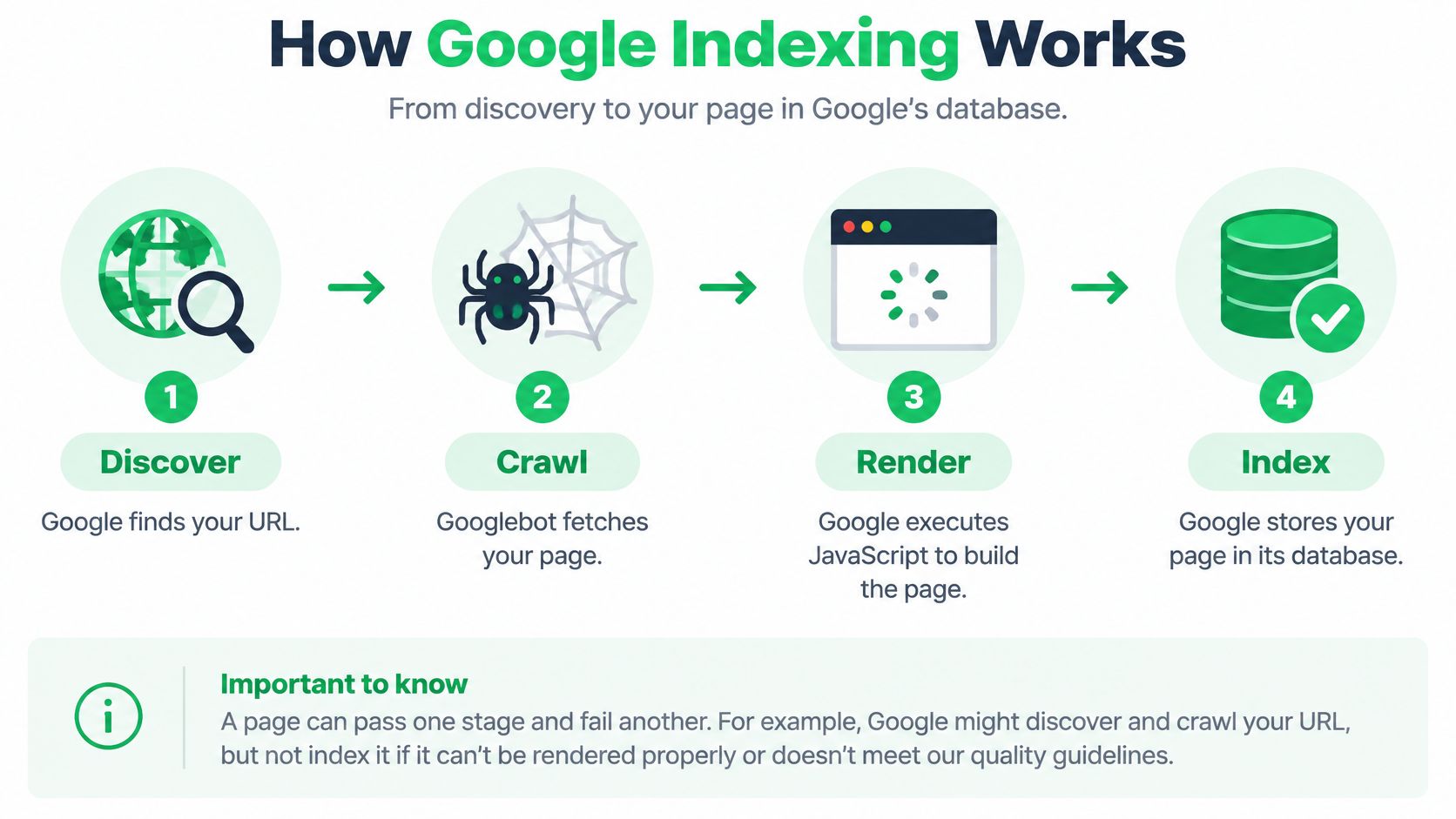
For a business asking why Google isn't indexing its website, the working model is straightforward: Google must discover the address, fetch the page, understand its rendered content and decide what to index. A live browser page proves much less than it appears to.
How Google Indexing Actually Works
Consider a hypothetical Melbourne plumber publishing a Dandenong service page. It includes service-area information, a pricing explanation and an enquiry form. Those elements may all appear on screen, but Google still needs to encounter and process them.
Google's explanation of how Search works distinguishes crawling from indexing: crawlers discover and download resources, then Google analyses those resources and stores information in its index. For troubleshooting, separating discovery and rendering into their own checkpoints makes that process easier to diagnose.
Follow the page through each checkpoint
Discovery means Google finds the URL. A link from the plumber's main services page provides a route to the new Dandenong page. A sitemap provides another discovery signal, but discovery alone doesn't establish that Google has downloaded the content.
Crawling means Googlebot, Google's automated crawler, requests the page and its resources. A restrictive robots.txt rule can interrupt that request before Google reaches the service copy.
Rendering means Google processes the page, including JavaScript, to build the content represented in the browser. Rendering can happen separately from the initial fetch, so receipt of the original HTML doesn't necessarily mean the complete page has been processed.
Indexing means Google analyses the content and decides what information to retain. An indexing directive or a canonical pointing elsewhere can affect whether the Dandenong URL becomes the representative search result.
| Checkpoint | Useful question for the plumber's page |
|---|---|
| Discovery | Can Google find a link to the published address? |
| Crawl | Can Googlebot retrieve the intended public page? |
| Render | Does the processed page contain the actual service information? |
| Index | Is this the URL Google should retain as the representative page? |
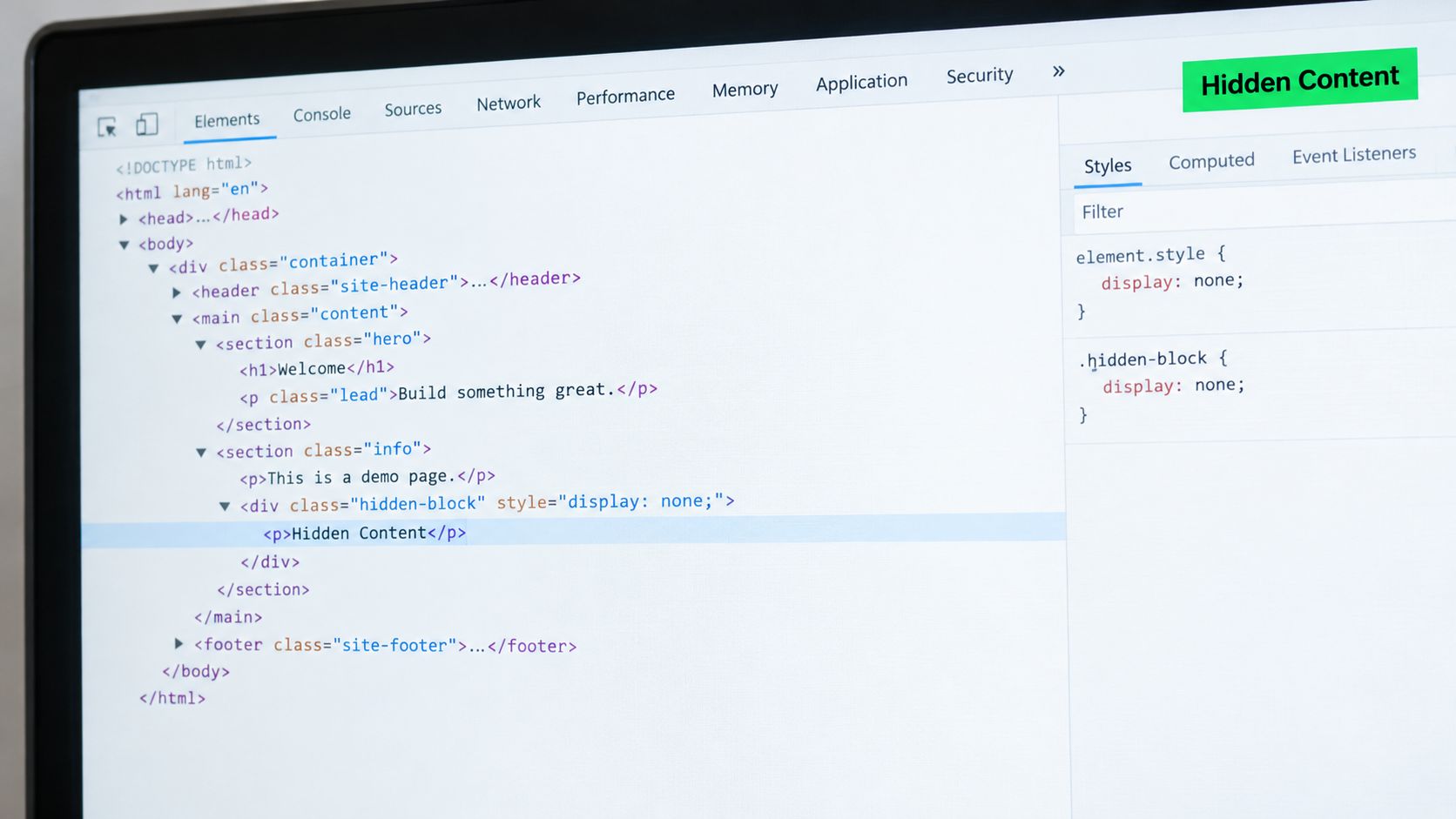
The important distinction is between initial HTML, the server's original response, and the rendered DOM, the page structure after scripts have run. A browser showing the finished page doesn't establish that both contain equivalent commercial information.
The Technical Barriers Most Sites Miss
An indexing investigation should distinguish an intentional setting from an accidental deployment problem. A staging site protected from search is sensible. Leaving those restrictions on the production site isn't.
Start with the reason shown in the Page Indexing report, then inspect an affected example. Similar-looking symptoms can require opposite fixes.
Mapping blockers to the indexing pipeline
| Blocker | Pipeline stage it breaks | What you see in Search Console |
|---|---|---|
| Restrictive robots.txt rule | Crawl | A robots.txt-related exclusion |
Accidental noindex | Index | An exclusion attributed to noindex |
| Login or access restriction | Crawl | A fetch or access problem |
| Canonical pointing elsewhere | Index selection | An alternative or duplicate URL |
| Redirect instead of a content page | Crawl destination and URL selection | The inspected URL treated as redirected |
| Missing discovery routes | Discovery | A URL awaiting crawling or absent from known examples |
These are diagnostic patterns, not substitutes for inspecting the actual response. A CMS setting, template or security plugin may affect more than the page currently under investigation.
Robots.txt and noindex aren't interchangeable. Google's starter guidance on controlling indexing explains that a disallowed URL can still appear without its content being fetched. Preventing indexing requires an appropriate noindex directive or authentication, and Google must be allowed to retrieve a page to read its noindex.
The practical consequence is counterintuitive: blocking an already noindexed page can prevent Google from seeing the instruction intended to exclude it. A plain-English explanation of robots.txt can help teams separate crawl permissions from indexing decisions.
Check URL selection as well as access
A page can appear missing because Google has grouped it with another version. Google's canonicalisation documentation explains that redirects, canonical annotations and sitemap inclusion contribute signals, but Google chooses the representative URL.
A missing canonical isn't automatically an indexing blocker. A conflicting canonical deserves more attention, particularly when a suburb page nominates the homepage or an obsolete staging address.
Inspect the HTML canonical, the final redirect destination and sitemap entries together. The recommended outcome is consistent signalling towards the intended public URL, not adding tags indiscriminately. For an accountant's rebuilt site, that means checking whether the current advisory page is the destination, rather than assuming every old address should remain indexed.
When JavaScript Hides Your Real Content
Google discovering a URL doesn't prove it has seen the service copy. This matters for website builders, client-rendered applications and dynamic page components, none of which should be dismissed merely because they use JavaScript.
The diagnostic issue is what the implementation delivers. A pricing explanation, suburb list or treatment description might appear after scripts execute, while the initial response contains little beyond layout and navigation.
Compare the delivered content with the rendered content
Google's JavaScript SEO guidance describes crawling, rendering and indexing, and recommends tools for inspecting rendered output and resource problems. It also warns that an original HTML response containing noindex may cause Google to skip rendering and JavaScript execution.
That makes removing noindex with JavaScript an unreliable fix. The directive should be corrected in the response that delivers it.
A useful verification workflow is:
- Inspect rendered HTML: In URL Inspection, examine the available crawled-page output and compare it with a live test where appropriate. Search for a distinctive sentence from the main service description.
- Check resource loading: Use the Rich Results Test to inspect rendered output, loaded resources and reported JavaScript exceptions.
- Review browser errors: Developer tools can help identify failed scripts or requests. A browser error is a lead to investigate, not automatic proof of what happened during Google's fetch.
- Compare anonymous access: Confirm that essential text doesn't depend on an administrator session, customer login or an interaction unavailable in the tested output.
A complete screenshot isn't enough. The important service information should also be present in the rendered content being inspected.
If essential copy is absent, the developer should investigate resource access and rendering failures before changing the entire platform. Delivering critical information in the initial HTML may be a suitable implementation choice, but a migration isn't the default remedy. Fix the demonstrated failure first.
A Prioritised Search Console Checklist
The most useful checklist produces evidence for a specific URL. It shouldn't become a collection of green ticks that leaves the original question unanswered.
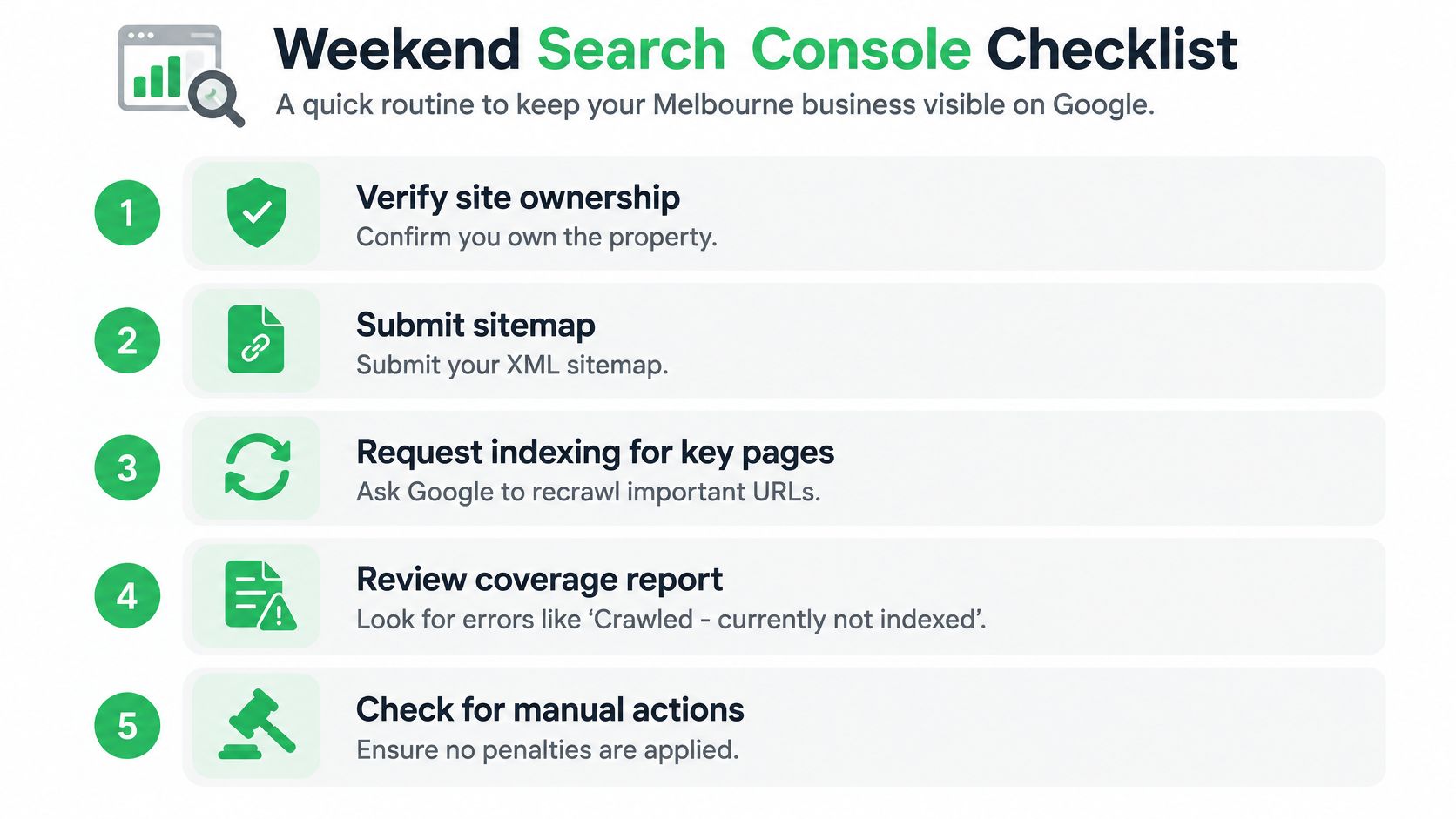
Keep a short working record containing the URL, reported reason, test date, change made and next review. Use an important service page and an affected suburb page as representative examples, rather than inspecting arbitrary URLs.
Establish access and discovery
- Confirm the property: Verify that the team has access to the Search Console property covering the actual production URLs. The pass condition is being able to inspect the intended live address, not merely an old version of the website.
- Review Sitemaps: Check the submitted sitemap's status and inspect its contents. The intended service URLs should be present, with obsolete destinations removed. This guide to XML sitemap inclusion provides a practical reference.
- Open Page Indexing: Select the relevant exclusion reason and inspect example URLs. Record whether the problem affects a template, a recent release or isolated pages.
Test the affected page
In URL Inspection, review the page indexing result, crawl permissions, fetch outcome, indexing permissions and canonical information wherever available. Then run the live test to establish whether the current version still has the reported technical problem.
The pass condition is specific: the page can be fetched, indexing isn't accidentally prohibited, and the rendered output contains the intended content. A successful live test isn't a promise of indexing.
Continue with checks outside the report:
- Inspect directives: Review robots.txt, the HTML robots tag and the response's
X-Robots-Tag. Google's crawling and indexing documentation explains these controls and their interaction. - Test anonymous access: Open the exact service and suburb URLs in a private browser window. Confirm that the public page appears without a login or security interruption.
- Review the response: Ask the developer or host to verify the final response status and investigate response-time problems, including time to first byte. A page that sometimes fails needs more than a successful screenshot.
- Request indexing after correction: Use the request for important corrected pages, rather than treating repeated submissions as a repair strategy.
Check Manual Actions as a separate investigation if there's reason to suspect an explicit action. Don't let that possibility distract from a clear access or template error already demonstrated by the tests.
Indexable Does Not Mean Useful
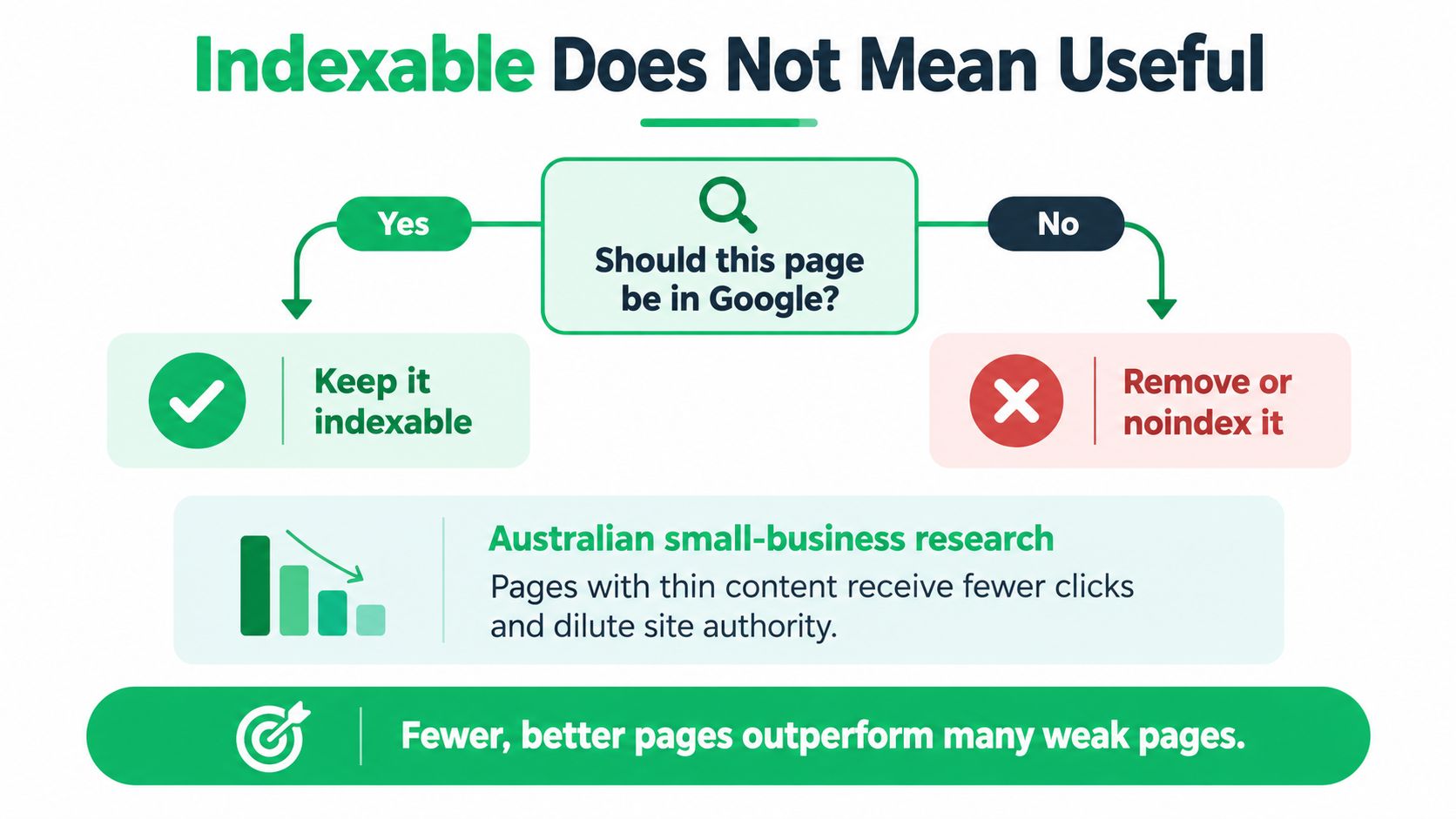
An index coverage report isn't a target for getting every published URL into Google. Some exclusions reflect a sensible distinction between a useful landing page and another version of content already available elsewhere.
Australian small businesses also need to keep the commercial objective in view. CPA Australia's 2025–26 small-business survey reports that 44% receive more than 10% of revenue through online channels, compared with a 63% survey average across markets. Those figures describe online revenue participation, not the ranking effect of deleting pages.
Decide what deserves a search landing page
A Melbourne service business should assess whether each proposed landing page gives a prospective customer something meaningfully distinct:
- Separate service: A distinct treatment, trade service or professional engagement can justify a dedicated explanation.
- Authentic local relevance: A suburb page should explain actual coverage or relevant service details, rather than replace a place name.
- Clear next action: Visitors should understand the offering, suitability and route to an enquiry.
- Substantial overlap: Near-duplicate location pages or parameter variants may be better consolidated than individually promoted.
For example, a dental practice's treatment page and appointment-information page can serve different needs. Multiple pages describing the same treatment with almost identical wording need a clearer reason to remain separate.
Editorial judgement: Keep pages because they help someone choose or use a service, not because the CMS makes another URL easy to publish.
Consolidation should follow purpose. Consider a permanent redirect where an obsolete page has a clear replacement, a canonical preference for equivalent versions, or noindex where a page should remain available without becoming a search landing page.
Support retained pages through purposeful internal linking. The objective is a coherent set of useful destinations, not a blanket deletion exercise or a promise that fewer URLs automatically improve rankings.
Crawl Budget, Penalties and Server Health
A site owner shouldn't diagnose crawl budget from a list of unindexed URLs alone. First establish whether Googlebot is having trouble reaching the host and whether the website publishes large amounts of repetitive material.
Google's crawling and indexing troubleshooting guidance explains that Crawl Stats can reveal crawling history and host-availability problems. When a server struggles to respond, Googlebot may reduce crawling activity.
Investigate host behaviour before changing hosting
Review Crawl Stats alongside the hosting team's logs. Look for host-availability issues, failed responses and changes around the time important pages stopped being fetched.
Potential investigation areas include shared-server resource constraints, expensive CMS requests, plugin interactions, large image resources and substantial JavaScript bundles. These aren't diagnoses by themselves: large browser downloads and slow server responses are different problems, even when both affect the same website.
| Evidence | Appropriate next question |
|---|---|
| Host-availability problems | Was the server unavailable or overloaded? |
| Problems after a CMS update | Did the release change responses, directives or rendering? |
| Unexpected modified pages | Does the site need a security investigation? |
| Explicit Manual Actions report | What issue does the report actually identify? |
A sudden visibility change isn't sufficient evidence of a penalty. An update can introduce an accidental directive, a security restriction or a changed template, so comparing affected and unaffected pages is more useful than assuming punishment.
Know when to bring in specialist help
A developer is appropriate when the evidence points to server responses, application errors or missing rendered content. The hosting provider should investigate availability and resource problems. A technical SEO can coordinate URL-level evidence, canonical decisions and content prioritisation across those teams.
A small-business technical SEO checklist can help organise that handover.
Specialist help becomes reasonable when the basic tests pass but important pages remain excluded without a clear explanation, particularly after a rebuild or domain move. It's also a legitimate commercial choice when the owner would rather run the business than coordinate a technical investigation. No credible diagnosis should guarantee that Google will index a page because an audit has been completed.
Monitoring and Next Steps for Melbourne Businesses
Once a demonstrated problem has been corrected, monitoring should answer whether Google has processed the change and whether useful pages are becoming discoverable. Constantly editing the same page makes that harder to judge.
A practical starting cadence is below. It's an operating recommendation, not a Google requirement, and should be adjusted around publishing activity, site changes and the importance of affected pages.
Keep the review proportional
- Weekly Page Indexing review: Check important exclusions and inspect representative service pages. Focus on changes affecting commercial destinations rather than the total number of excluded URLs.
- Monthly Crawl Stats review: Look for availability problems or unusual changes that warrant a conversation with the host or developer.
- Quarterly consolidation review: Reassess overlapping suburb pages, superseded services and unnecessary URL variants. Preserve pages that still serve a distinct customer need.
Maintain a change record alongside those reviews. A useful entry identifies the affected template or URL, the evidence supporting the fix and what the team expects to observe next. “SEO updated” is too vague to support later troubleshooting.
Measure the right outcome
Indexing is an access milestone, not the final business result. Once an important page is indexed, assess whether it attracts relevant search impressions and supports qualified enquiries rather than continuing to submit it for indexing.
A small, straightforward website may be manageable with careful checks and targeted developer support. A rebuilt site with overlapping templates, migration history or unclear page purposes may justify a coordinated audit.
The central rule remains simple: identify the failed checkpoint before choosing the fix. Prioritise important pages, verify what Google can retrieve and render, and preserve a clear reason for each page to exist. There's no dependable deadline or submission tactic that replaces that work.
For Melbourne businesses needing help beyond the initial checks, SEO2RANK offers technical SEO audits, crawl and indexing analysis, and implementation support within the agreed scope. A useful starting point is to bring the affected URLs and Search Console findings so the discussion can focus on demonstrated barriers and practical next steps.
Find Out What Is Holding Your
Website Back
Get a practical SEO Snapshot showing the biggest issues and opportunities we can see across your search visibility, website and local presence.
GET YOUR FREE SEO SNAPSHOT