
If calls have dropped and the phone feels quieter than usual, the first check is Google Search Console. Australian click-through data shows how exposed a business is to even a small rankings slide, with 39.8% of clicks going to the #1 organic result and 1.6% going to the #10 result, so a modest fall can cut traffic hard (AU ranking guide).
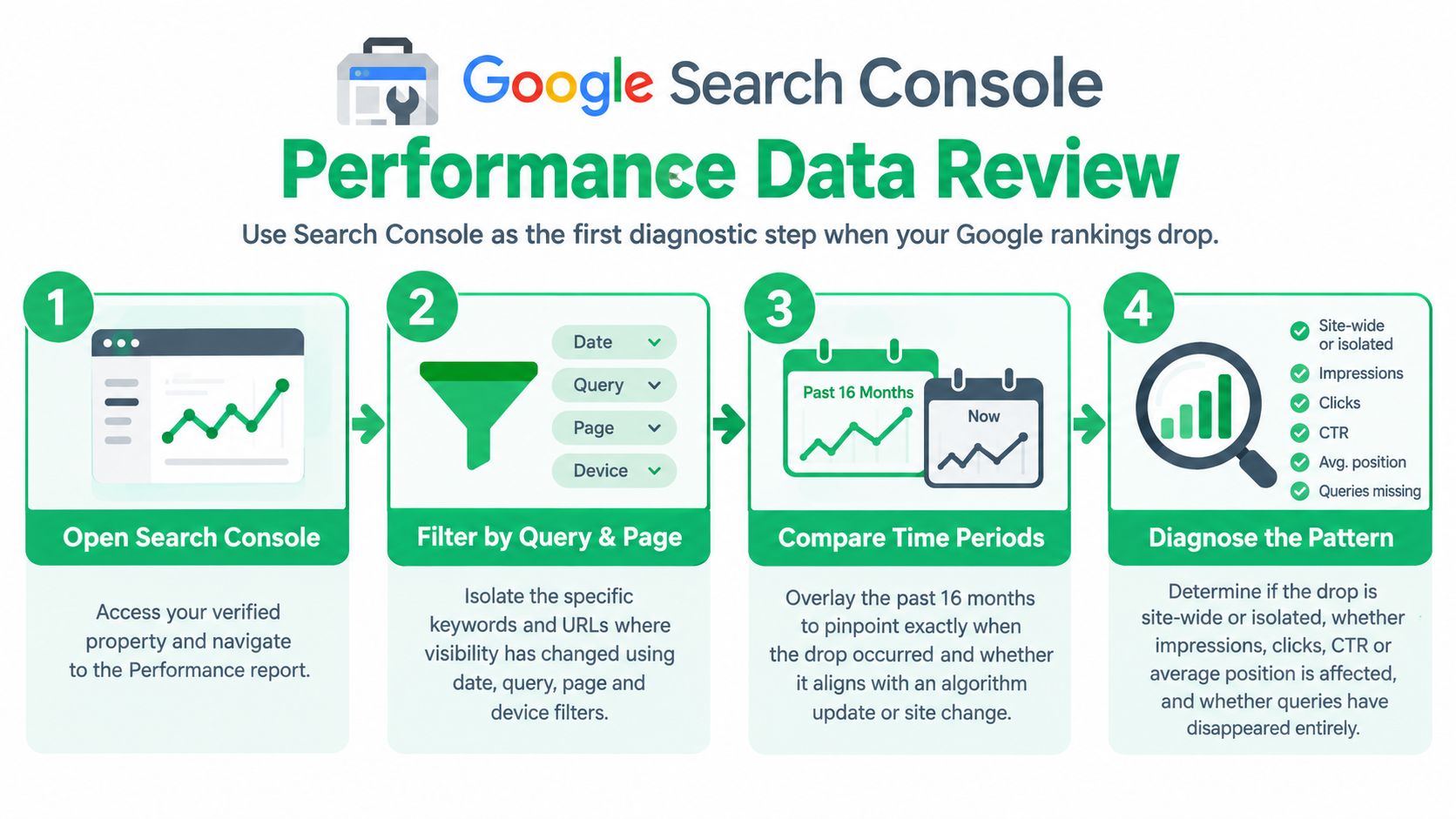
A Melbourne tradie can feel this fast. One week the emergency jobs are steady, the next week the suburb pages seem harder to find and branded searches look weaker. That doesn't always mean a true rankings collapse. It can be seasonality, a device split, a reporting correction, a site change, or a local visibility issue that only affects some pages and some suburbs.
The safest starting point is to prove the drop before changing anything. Compare date ranges in Search Console, then break the decline down by queries, pages, device, and location. Record what changed on the site, when it changed, and whether the timing lines up with weaker impressions, lower clicks, or both. That record matters because rushed edits often make diagnosis harder, not easier.
The recovery workflow below follows the order that tends to matter most in practice. Start with data validation and Search Console review. Then move through crawl, indexing, security, mobile, technical health, local signals, content fit, and authority. The point isn't to chase every possible issue at once. It's to isolate the cause, fix the highest-risk blockers first, and measure the result cleanly.
Table of Contents
- 1. Review Google Search Console Performance Data
- 2. Check Technical SEO and Core Web Vitals
- 3. Audit Indexation and Crawlability
- 4. Test Mobile Usability and Mobile-First Experience
- 5. Review Duplicate Content and Canonical Tag Handling
- 6. Audit Local SEO and Google Business Profile Signals
- 7. Recheck On-Page Content and Search Intent Match
- 8. Check Manual Actions, Spam Risks, and Security Problems
- 9. Compare the Drop Against Reporting Corrections and Search Changes
- 10. Review Backlink Loss and Competitive Authority Shifts
- 10-Point SEO Ranking Drop Comparison
- Turn the Audit Into a Recovery Plan
1. Review Google Search Console Performance Data
Google Search Console is the main diagnostic tool for a rankings drop because it shows performance data, index status, and crawl activity in one place. For Australian businesses, it also helps separate local visibility from broader noise through country filtering and .com.au targeting patterns that are common in local SEO workflows (Google Search Console guide for Australian businesses).
A Melbourne electrician, plumber, or dentist should start in the Performance report and ask a simple question. Did the drop hit all queries, or only a cluster of them? If branded terms are stable but service terms fell, that points in a different direction from a site-wide decline.
What to compare first
Look at the same number of days before and after the suspected drop. Then compare:
- Queries: Which search terms lost impressions, clicks, or average position.
- Pages: Which landing pages carried the drop.
- Devices: Whether mobile fell while desktop stayed steady.
- Locations: Whether Melbourne or Victoria declined while other locations didn't.
A real-world pattern appears often after redesigns and CMS edits. A service page gets renamed, removed from navigation, or redirected badly. Search Console then shows one important page losing query coverage while the rest of the site looks relatively normal. Fixing the page path, restoring internal links, and resubmitting the URL for indexing often improves access to the page again. The improvement to watch is stronger impressions for the affected query set, not a promise of instant rank recovery.
Practical rule: Save screenshots before making changes. Once titles, redirects, canonicals, or templates are edited, the original state becomes harder to prove.
Search Console email alerts are worth keeping on. They won't diagnose the issue, but they help catch indexation, manual actions, and unusual shifts early enough to reduce guesswork.
2. Check Technical SEO and Core Web Vitals
A rankings drop after a redesign, plugin update, or template edit often starts on the front end. The page still loads, the phone still rings, and the owner assumes the site is fine. Then mobile users hit a slow service page, key content appears late, the layout jumps under their thumb, and Google has a harder time treating that page as a strong result.
Google's own Core Web Vitals documentation is the right benchmark here because it separates three different problems. Loading speed, interaction responsiveness, and layout stability each fail for different reasons, and the fix list changes depending on which one slipped.
A practical reference point for business owners is this technical SEO checklist for small business. It helps narrow the audit to the foundations that affect crawl access, page rendering, and user experience.
Before changing anything, record evidence from three places. Search Console's Core Web Vitals report shows whether the issue affects groups of URLs. PageSpeed Insights shows field data when enough traffic exists, plus lab issues worth testing. A manual phone test shows what customers deal with on a live service page.
For a Melbourne tradie site, start with the pages that bring calls. Homepage banners, suburb service pages, emergency callout pages, and quote forms usually matter more than blog posts or gallery pages.
Check the page like a job site inspection:
- Largest Contentful Paint: See what loads late. Common culprits are oversized hero images, sliders, slow hosting responses, and page builders loading too much code before the main heading or service copy.
- Interaction to Next Paint: Test forms, menus, sticky buttons, and chat widgets on mobile. Heavy scripts, consent tools, and third-party tags can make the page feel laggy even when it looks loaded.
- Cumulative Layout Shift: Watch for movement caused by delayed fonts, image boxes without dimensions, promo bars, and sticky headers that push content down after the first paint.
The priority is not “improve every score”. The priority is to remove friction from revenue pages first.
I usually record four things in the audit notes. Which templates fail, which devices are affected, which scripts or media files appear responsible, and whether the issue lines up with the date rankings dropped. That date match matters. If poor CWV scores existed long before the drop, they may still need fixing, but they are less likely to be the trigger.
A common trade-off comes up with tradie sites that rely on call tracking, live chat, review widgets, map embeds, and booking plugins. Those tools can help conversion, but they also add weight and script conflicts. Remove them blindly and leads can drop. Keep them all and the page can become slow enough to hurt both usability and search performance. The better fix is usually selective loading, lighter embeds, compressed images, and template cleanup rather than deleting every feature.
If one URL group is marked poor in Search Console, fix the template behind that group before editing pages one by one. If only a few high-value pages are struggling, start there, test again, and document what changed. That gives you a cleaner recovery trail and stops technical work from turning into guesswork.
3. Audit Indexation and Crawlability
A rankings drop often looks bigger than it is until you check whether Google still has the right pages in the index.
For Melbourne tradie sites, I usually start with the pages that should bring in calls first. Core service pages, key suburb pages, and any booking or quote URLs. If those pages are missing from Google's index, or sitting in the wrong canonical cluster, the rest of the audit can go off track.
Google's Page indexing report documentation is useful here because it shows whether important URLs are indexed, excluded, redirected, blocked, or discovered but not crawled. That distinction matters. A page can exist on the site, load fine in a browser, and still be effectively invisible in search.
The check itself is straightforward, but the interpretation needs care. “Excluded” is not automatically a problem. Filter for URLs that are meant to rank, then record what state each one is in, when that state appears to have started, and whether the timing lines up with the traffic drop. I also note whether the issue affects one template, one folder, or only a handful of pages. That tells you whether to fix a sitewide rule or a local mistake.
Hidden losses usually come from a short list of causes:
- noindex tags added during a rebuild or plugin change
- robots.txt rules blocking service, blog, or location sections
- canonicals pointing to the wrong version of the page
- redirect chains and dead internal links weakening discovery
- soft 404s, thin parameter URLs, or duplicate paths after a migration
A broader SEO audit process helps at this point because indexation problems rarely sit alone. They often connect to redirects, internal linking, sitemap coverage, and template-level settings.
One pattern comes up a lot on local service sites. A business rebuilds the site, keeps the old page titles and copy, then drops key suburb pages from the XML sitemap and main navigation. Rankings slide, but only for local-intent terms. The fix is rarely “add more content” first. Put the pages back in the crawl path, confirm the preferred canonical URL, repair internal links from related services, and resubmit the sitemap. Then monitor whether Google starts recrawling and reindexing those URLs.
Priority matters here. A blocked or noindexed money page comes before cleaning up low-value archive URLs. If Google cannot reach or index the pages that drive leads, start there and keep notes on each change, including the affected URLs, the likely cause, and the date fixed. That gives you a proper recovery record instead of a messy list of technical edits.
4. Test Mobile Usability and Mobile-First Experience
A Melbourne tradie site can hold up on desktop and still bleed leads on mobile. The rankings dip often shows up first in phone calls, form starts, and suburb pages that rely on quick action from people searching on-site, in the ute, or between jobs.
The question to settle is simple. Does the mobile version give Google and visitors the same content, page order, trust signals, and enquiry path as desktop?
Start with the pages that matter most. Check the main service pages, top location pages, contact page, and any template used across the site. Use a real phone, not only browser emulation, and record what happens from search result to enquiry.
Run the check like a customer
Open the page on a handset and work through the task a prospect would try to complete.
- Read the heading and first screen. Confirm the core service, suburb, and value proposition are visible without a banner or oversized image pushing them down.
- Scroll through the body copy. Make sure the mobile page still shows the service details, pricing cues, FAQs, reviews, and suburb relevance that appear on desktop.
- Tap the key actions. Test click-to-call buttons, quote forms, booking tools, maps, and any sticky footer CTA.
- Check speed in context. A page can pass a lab test and still feel slow if sliders, chat widgets, and heavy images delay the first useful interaction.
- Watch for obstruction. Cookie notices, promo bars, consent tools, and chat pop-ups often cover headings, buttons, or form fields on smaller screens.
Record evidence as you go. Take screenshots, note the affected device and browser, list the URL, and mark whether the problem is isolated to one page or tied to a shared template.
A common failure on trade websites is layout bloat. The desktop design gets carried onto mobile with a large hero slider, stacked trust badges, and a long quote form before the actual service content appears. Rankings can soften because the mobile experience weakens both usability and content access, especially if Google is indexing the mobile version first.
The first fixes should remove friction from revenue pages. Put the service heading and primary CTA higher, replace sliders with a static image if needed, shorten forms, compress heavy media, and make sure hidden tabs or accordions do not bury important content. If the issue sits in a theme or page builder, fix the template before editing pages one by one.
Desktop and mobile do not need to look identical. They do need to deliver the same job clearly and without getting in the way.
5. Review Duplicate Content and Canonical Tag Handling
Duplicate issues on trade sites often come from intent overlap, not blatant copying. A plumber can end up with separate pages for “hot water repairs Melbourne”, “hot water service Melbourne”, “emergency hot water repairs”, plus suburb variants that reuse the same structure and most of the same copy. That spreads relevance, links, and internal anchor text across URLs competing for the same enquiry.
A rankings drop can start after a redesign, a page-builder rollout, a service-area expansion, or a migration that leaves old URLs live. It also shows up when canonicals, redirects, sitemap entries, and internal links point in different directions. Google then has to guess which version is primary.

Start with the service pages that drive quotes and calls. Check whether each page has a distinct job, or whether two or three pages are chasing the same term with minor wording changes. Then confirm the preferred URL is consistent everywhere:
- Canonical tag: Points to the correct live page
- Redirects: Retired or alternate versions resolve to the preferred URL
- Internal links: Navigation, body links, and breadcrumbs support the same destination
- Indexable variants: HTTP, HTTPS, trailing slash, uppercase, parameters, and filter URLs are controlled
- Sitemap entries: Only preferred URLs are submitted
Record evidence page by page. Note the competing URLs, their target query, canonical destination, status code, and whether each page has unique leads, reviews, suburbs, pricing, or FAQs that justify keeping it. Consolidation is not always the right fix. If a suburb page has original proof, local testimonials, area-specific examples, and its own demand, keep it. If it is a light rewrite of the main service page, fold it into the stronger URL.
The first fixes should remove ambiguity from commercial pages. Choose one primary URL per service intent, 301 redirect obvious duplicates, correct canonicals, and update internal links so they stop backing the wrong page. After that, review templates and CMS rules that keep generating duplicate paths. The usual win here is cleaner indexation and less cannibalisation. Rankings may improve once Google has a clearer page to rank, but the immediate goal is to stop splitting signals.
6. Audit Local SEO and Google Business Profile Signals
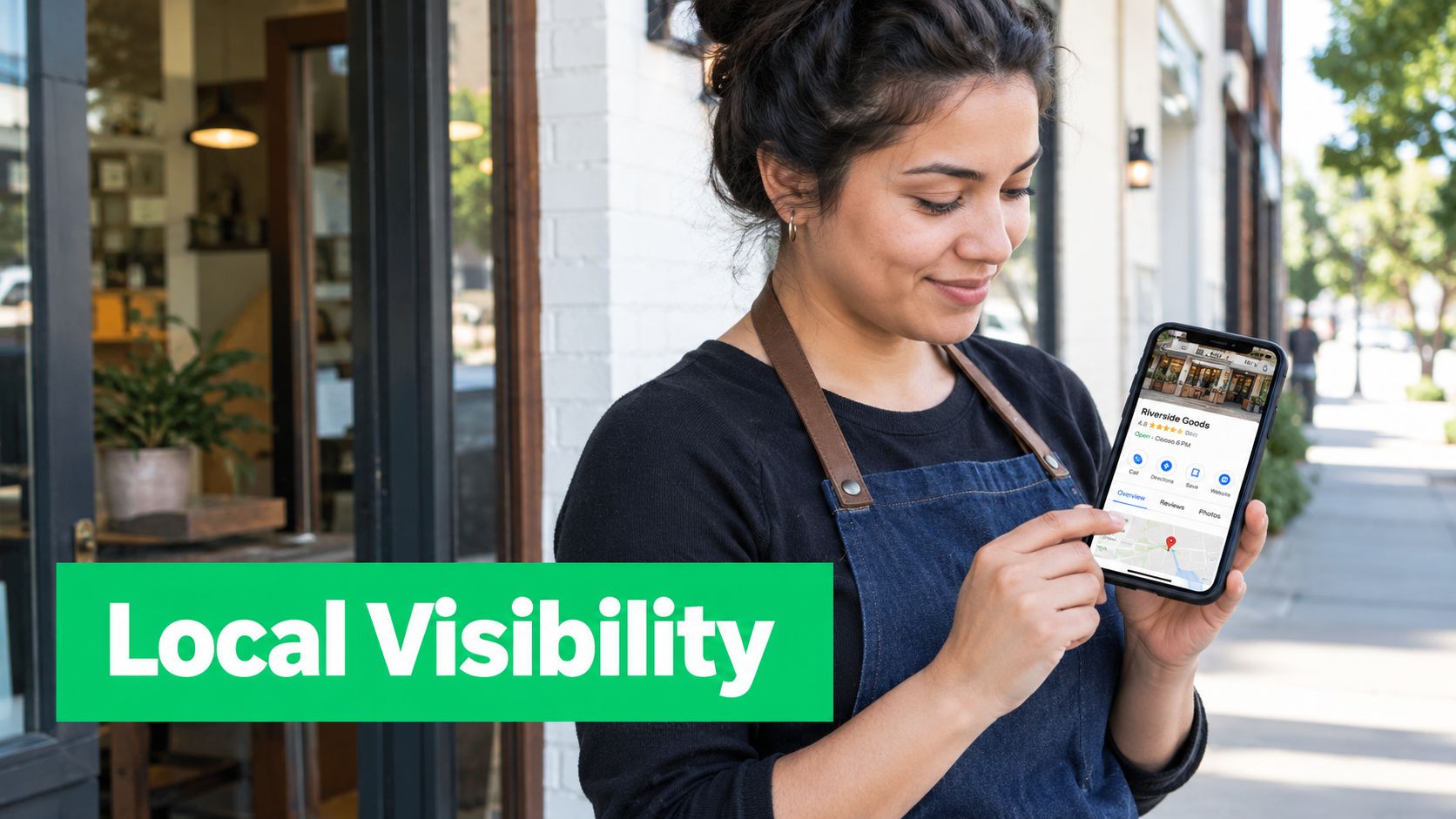
A Melbourne tradie can lose leads here even if the main site still looks steady. Rankings for broad service terms may hold, but map visibility drops, suburbs stop appearing, or the Google Business Profile stops pulling its weight. The result is familiar. Fewer calls, weaker direction requests, and patchy enquiry volume by area.
Start by separating three things that often get bundled together: organic rankings, local pack visibility, and Google Business Profile actions. If calls fell, do not assume the website caused it. Check whether the decline sits in one suburb, across mobile only, or mainly inside the profile itself.
A practical reference point is this Google Business Profile optimisation guide, especially if the profile, citations, and local landing pages have not been reviewed for a while.
I'd record the local audit in two columns. One for visibility signals, one for trust and conversion signals. That makes it easier to see whether the problem is reach, profile quality, or poor alignment between the profile and the landing page.
Visibility signals to verify
- Primary and secondary categories match the actual service mix
- Service areas, hours, phone number, and business name are current
- Key suburb or service queries still trigger the profile in the map pack
- Local landing pages still support the areas that matter commercially
- Reviews are still coming in at a natural pace, with relevant service and suburb language
Trust and conversion signals to verify
- Recent photos show real jobs, vehicles, staff, or premises
- Reviews have replies, especially on recent negatives
- Booking, call, and website links send users to the right destination
- The profile description and services are not outdated or generic
- Call tracking and form tracking still work, so a reporting break is not mistaken for a rankings drop
One common pattern is simple neglect. A plumbing, electrical, or locksmith business changes service areas, swaps call tracking, or edits its site structure, but leaves the profile and citations inconsistent. Google then has mixed local signals, and the business starts slipping for the suburbs that used to convert well.
Another pattern is thinner local proof. Competitors keep adding recent job photos, collecting reviews that mention actual suburbs, and maintaining useful location pages. Meanwhile, the weaker listing stays static. In that case, the first fix is usually not a full rewrite. It is cleaning up business details, correcting category choices, checking landing-page alignment, and making sure recent reviews and photos reflect the services you want to win.
Prioritise fixes that affect trust and access first. Wrong phone number, wrong hours, broken landing-page links, duplicate profiles, or a suspended profile deserve immediate attention. After that, work on local relevance: category fit, review recency, suburb-page quality, and citation consistency. Record what changed, when it changed, and which suburbs or service terms were affected before and after.
7. Recheck On-Page Content and Search Intent Match
A rankings slide often comes down to fit. The page still exists, it still gets indexed, and nothing looks broken, but it no longer matches what searchers want as closely as the pages now sitting above it.
On tradie sites, I see this after service pages get padded with brand copy, thin suburb mentions, or broad claims that could apply to any business in Melbourne. The query suggests urgency or a specific job. The page answers with a company overview. That gap is enough to lose ground.
Start with the exact pages and queries that dropped in Search Console. Record three things side by side. Which queries declined, which page lost clicks, and what Google is showing now for those same terms. A page that slipped for "blocked drain plumber melbourne" may still be fine structurally, but weak on job-specific detail, response expectations, pricing context, or service area relevance.
Manual review matters here. Search the target term, open the top results, and compare the first screen, headings, and section flow against the affected page. Look for patterns rather than copying competitors.
Useful evidence usually falls into a few buckets:
- The page targets one intent, but the results now favour another. For example, a general service page competes in a result set filled with emergency callout pages.
- The opening takes too long to answer the query.
- The page lacks practical buying details, such as what the service covers, who it suits, where it is offered, and what happens next.
- The location cues are vague. Suburbs, service radius, and local proof are either missing or buried.
- The content is padded with filler while competitors give clearer scope, examples, FAQs, or trust signals.
A useful reference point for this step is understanding how customers search for service keywords. That helps decide whether the page should be narrower, broader, more local, or more commercially focused.
One common Melbourne-tradie pattern is a page built to rank for a big service term, then gradually edited into a catch-all page for every variation. Plumbers, sparkies, and locksmiths do this all the time. The result is a page that mentions everything and resolves nothing. If the drop is isolated to a handful of terms, split the job properly. Keep the main service page clear, then build or improve supporting pages for emergency work, specific faults, or key suburbs where the demand and business value are real.
Do not start with a full site rewrite. Fix the pages tied to the drop first. Rework the intro, tighten headings, add missing service detail, improve local relevance, and remove copy that does not help a customer decide. Then annotate the changes and watch whether impressions, clicks, and query mix stabilise over the next few weeks.
8. Check Manual Actions, Spam Risks, and Security Problems
A Melbourne tradie site can look fine on the surface and still have a problem serious enough to tank visibility overnight. I have seen this with plumbing and electrical sites where the owner first noticed weaker lead quality, then found spam pages in the index or dodgy redirects firing on mobile.
Start in Search Console. Open Manual Actions and Security Issues before changing copy, titles, or internal links. If Google has flagged a policy breach or a hacked site issue, those notices set the order of work. Google's Search spam policies explain the types of behaviour that can trigger action, including pure spam, cloaking, hacked content, and site reputation abuse.
Treat this step like a triage job, not a broad SEO review.
First, record what Google has reported. Take screenshots of any manual action or security warning, note the date it appeared, list the affected pages or patterns, and export examples where possible. Then confirm whether the problem is visible outside Search Console. Check indexed pages for spammy titles, review a few key templates on mobile and desktop, test redirects, and look at server or security logs if you have access.
The risk list is usually shorter than people expect:
- A manual action that names the breach and requires targeted cleanup before a reconsideration request.
- A security issue such as hacked files, injected spam, malware, phishing pages, or redirect scripts.
- Spam signals you can see on the site, including hidden text, doorway pages, cloaked content, or pages created only to catch suburb or service variations.
- Access weaknesses that made the mess possible, such as stale plugins, shared logins, weak passwords, or too many admin accounts.
What matters here is sequence. If the site is compromised, clean and secure it first. Remove injected files, close the entry point, update the CMS and plugins, rotate passwords, review admin users, and check whether the host needs to restore clean files from backup. If there is a manual action without a hack, fix the named issue with evidence, document what was removed or changed, and only then submit for review.
Do not judge success by rankings in the first week. Record safer signs first: warnings cleared, bad URLs dropped, clean pages recrawled, and no fresh spam appearing in logs or indexed results. Once the site is safe and the policy issue is addressed, the rest of the recovery work has a fair chance to stick.
9. Compare the Drop Against Reporting Corrections and Search Changes
A Melbourne tradie site can look like it fell off a cliff when the issue is reporting, SERP layout, or a change in query mix. Before treating this as a ranking failure, check whether the decline shows up across more than one source.
Start by lining up four views for the same dates: Search Console clicks and impressions, Google Analytics organic sessions, lead events such as calls or form fills, and a manual check of a handful of core terms. If only one source drops, record that first. It changes the job from recovery work to diagnosis.
Search Console is not perfect reporting. Google has corrected measurement issues before, and apparent drops have sometimes been tied to logging or reporting changes rather than a true loss in visibility, as covered in Australian coverage of the Google logging issue. Record the exact date the pattern starts, whether the change is sitewide or page-specific, and whether average position moved.
Then split the affected URLs by page type. This matters more now because search results can change click behaviour without changing rank in a dramatic way. Industry coverage in Australia has pointed to lower click-through rates on some query types where AI Overviews appear, especially for informational searches, as discussed in this Australian guide on the future of search and AI SEO. A how-to page about blocked drains may lose clicks while the emergency plumber service page stays steady. That is a different problem from a local pack or service-page collapse.
A quick working table helps here:
- Service pages down in clicks, impressions, and average position. Treat this as a genuine visibility issue.
- Service pages steady in position, down in clicks only. Check SERP features, titles, and local result changes.
- Blog or advice pages down, money pages stable. Check for AI Overview impact or weaker intent match on informational queries.
- Search Console down, Analytics and leads flat. Check for reporting anomalies before changing the site.
I prefer to mark each affected group as one of three states: real ranking loss, click-loss without clear ranking loss, or reporting uncertainty. That keeps the fix list honest. It also stops teams rewriting good pages because a chart looked ugly.
For a tradie business, priority still goes to pages tied to enquiries. If the suburb service pages lost both clicks and average position, move those into the first remediation batch. If the drop sits mostly on blog content that supports awareness, note it, but do not let it jump ahead of revenue pages unless assisted conversions were meaningful and documented.
10. Review Backlink Loss and Competitive Authority Shifts
A Melbourne tradie site can lose ground here without any dramatic penalty. One supplier directory drops a link after a URL change. A local competitor picks up a council mention, a trade association profile and a few fresh suburb citations. Service pages that were already close in visibility can slip.
That is why I leave link review until late in the recovery workflow, but I do not skip it. By this point, the main question is whether authority support weakened around the pages that matter most for enquiries.
Start with the pages that lost rankings and still deserve to rank. For each one, record three things in a simple sheet: links lost, links still live, and whether the target URL now resolves correctly. If a strong link points to a removed page, a redirected old suburb page, or a soft 404, fix that before planning any new outreach. Reclaimed equity is usually faster and cheaper than chasing brand-new links.
Useful checks include:
- Lost external links to revenue pages. Look for deleted service URLs, changed slug structures, expired local directory listings, and editorial mentions that now point to the wrong page.
- Reclamation opportunities. Check supplier sites, builders, chambers of commerce, sponsorship pages, and local news mentions where the business is named but the link is missing or broken.
- Competitor gains in the same patch. Review who now appears above you for core suburb and emergency terms, then check whether they have picked up better local citations, trade memberships, project coverage, or stronger links to the exact landing pages competing with yours.
- Internal link support. A service page often drops after a redesign because it lost links from navigation, related services, suburb hubs, or high-trust blog content.
One pattern turns up often after rebuilds. The business keeps its homepage links, so overall domain metrics look steady, but the suburb or service page that converts has lost the specific links and internal paths that supported it. Rankings then soften at page level, not sitewide.
A practical example: a plumber had a well-linked blocked-drain page on an old URL, then moved to a cleaner site structure. The old page redirected, but partner listings and a local article still referenced outdated URLs, and the new page was barely linked internally. The first fixes were straightforward. Correct the redirect path, update the external mentions that could be reclaimed, restore internal links from related service and location pages, then assess whether any gap still remained against competitors.
Priority matters here. Fix broken or misdirected link equity first. Restore internal authority flow second. Only then decide whether new link acquisition is worth the effort, because outreach is slower and less predictable than reclaiming value the site has already earned.
Record the evidence page by page, not as a vague domain-level judgment. That keeps the remediation list tied to affected services and gives clients a clear view of what changed, what was recovered, and what still depends on competitor movement or future PR and partnership work.
10-Point SEO Ranking Drop Comparison
| Service | Core focus | ★ Impact / 🏆 Outcome | ✨ Unique feature | Effort (implementation) | 💰 / 👥 Price & Audience |
|---|---|---|---|---|---|
| Google Search Console Performance Data Review | Query & page-level visibility diagnostics | ★★★★☆ / 🏆 Pinpoints exact lost queries/pages | ✨ Direct Google data; 16‑month trends | Low, needs Search Console access | 💰 Free / 👥 SMBs wanting quick diagnostics |
| Technical SEO & Core Web Vitals Assessment | Page speed, LCP/FID/CLS, render issues | ★★★★★ / 🏆 Improves UX + rankings | ✨ RUM + lab data; per-page CWV pass/fail | Medium–High, dev access often required | 💰 Paid/medium / 👥 Sites with speed or UX issues |
| Indexation & Crawlability Audit | Robots, sitemaps, redirects, crawl budget | ★★★★☆ / 🏆 Restores discoverability at scale | ✨ Finds noindex/redirect chains & orphan pages | Medium, server/CMS access needed | 💰 Paid/medium / 👥 Migrated or large sites |
| Mobile Usability & Mobile‑First Indexing | Mobile rendering, tap targets, mobile speed | ★★★★☆ / 🏆 Recovers mobile rankings | ✨ Mobile-first checks; tap target & viewport tests | Low–Medium, CSS/template fixes common | 💰 Paid/low–med / 👥 Mobile-heavy audiences |
| Duplicate Content & Canonical Tag Management | Duplicate URLs, canonicals, URL params | ★★★★☆ / 🏆 Consolidates ranking signals | ✨ Canonical + redirect prescriptions | Low–Medium, CMS/redirect changes | 💰 Low / 👥 Sites with CMS quirks or e‑commerce |
| Local SEO & Google Business Profile Optimisation | GBP, citations, reviews, local presence | ★★★★★ / 🏆 Fast local visibility & calls | ✨ Suburb targeting, citation standardisation | Low, ongoing maintenance required | 💰 Low / 👥 Melbourne tradies, clinics, retailers |
| On‑Page Content & Search Intent Alignment | Content relevance, intent match, gaps | ★★★★★ / 🏆 Improves conversions from traffic | ✨ Competitor gap analysis + intent tuning | Medium, editorial effort required | 💰 Medium / 👥 Businesses needing better money pages |
| Review Penalty Risks, Manual Actions & Security Issues | Manual actions, hacks, malware, spam | ★★★★★ / 🏆 Critical, restores site presence | ✨ Detects penalties & security breaches | High, cleanup + reconsideration processes | 💰 Variable/high / 👥 Sites with sudden drops or compromises |
| Algorithm Update & Competitive Landscape Analysis | Update timing, competitor moves, pattern analysis | ★★★★☆ / 🏆 Guides priority & realistic recovery | ✨ Cross-references update timeline vs SERPs | Medium, analytical + content/dev follow-up | 💰 Medium / 👥 Content-heavy or affected sites |
| Backlink Profile & Link Authority Loss | Lost links, referring domain quality, spam | ★★★★★ / 🏆 Recovers durable authority signals | ✨ Identifies recoverable high-value links | High, outreach and content required | 💰 Medium–High / 👥 Businesses needing authority (B2B, local PR) |
Turn the Audit Into a Recovery Plan
The most useful response to a rankings drop isn't a full-site overhaul. It's a priority list.
Start with the problems that block trust and access. That means security issues, manual actions, blocked pages, missing key URLs, bad redirects, and obvious indexing failures. If Google can't safely crawl the right pages, nothing else matters much. A clean site that loads the wrong URL or excludes the money page won't recover because of better copy alone.
The second layer is technical stability. Fix mobile usability, page speed bottlenecks, weak template behaviour, site architecture, and canonical confusion next. These changes often produce the clearest operational improvement because they reduce friction across many pages at once. Typical examples include compressing oversized hero images, removing render-blocking scripts from service templates, correcting canonicals to the main commercial URL, and restoring direct internal links to suburb or service pages that had become buried.
After that, tighten the local and content signals. Update the Google Business Profile, make sure contact details are consistent, improve suburb and service-area pages, and confirm that high-intent pages answer the query they target. Many Melbourne tradies get better traction from fewer changes. One stronger emergency page with clean internal links, suburb coverage, a clear call path, and better mobile rendering often does more than publishing several thin pages.
The final layer is authority recovery. Reclaim lost links, restore useful citations, and identify the pages that deserve promotion or outreach. If valuable mentions point to retired URLs, fix that first. If competitors are outpacing the site with better local resources, publish something worth linking to before asking for links.
A simple reporting template keeps the work honest. For each issue, record:
- Date
- Affected query or page
- Evidence
- Change made
- Owner
- Status
- Next measurement date
That structure helps separate assumptions from results. It also stops teams from making five changes at once and then guessing which one mattered.
Recovery should be measured in Search Console, indexing status, calls, and enquiry quality after each fix. Some changes show up faster than others, and some improve access more than rankings at first. A business that lacks platform access, technical support, or time to work through the sequence may need outside help. In those cases, a Melbourne-focused provider such as SEO2RANK can be useful because the work can move from audit to implementation and then into plain-English reporting, rather than stalling at a recommendation list.
SEO2RANK helps Melbourne businesses diagnose ranking drops through technical audits, local SEO work, on-page improvements, and reporting tied to visibility and enquiries. Businesses that need help proving the issue, prioritising fixes, and implementing the technical work can visit SEO2RANK to review its audit and ongoing SEO options.
Find Out What Is Holding Your
Website Back
Get a practical SEO Snapshot showing the biggest issues and opportunities we can see across your search visibility, website and local presence.
GET YOUR FREE SEO SNAPSHOT