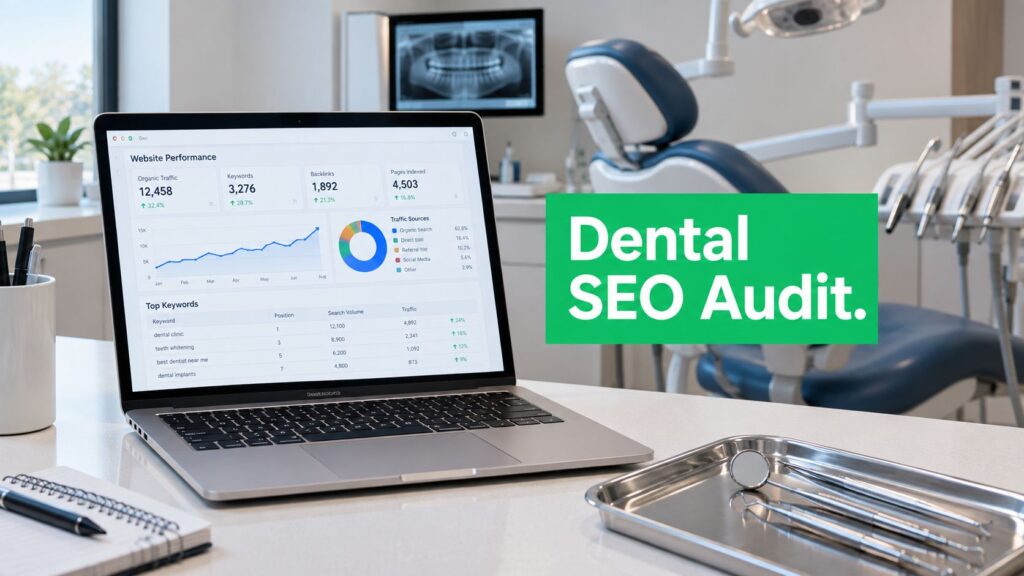
A patient searches for a dentist near home, taps a result on a mobile, and reaches a slow page with no obvious booking button. Or a practice has excellent treatment pages, but Google has excluded the suburb pages and the online appointment path from its index. A technical SEO audit for Melbourne dentists finds and fixes those access, performance, structure, accessibility and booking problems, so the pages that matter can be discovered, understood and used.
The practical sequence is straightforward: inspect crawling and indexing in Google Search Console, review architecture and internal links, test Core Web Vitals, validate local and medical structured data, check accessibility, then follow the patient journey through to an appointment. The result should be a prioritised issue list tied to enquiries, not a long export of errors that nobody acts on.
Table of Contents
- What a Technical SEO Audit Delivers for Melbourne Dental Practices
- Check How Google Crawls and Indexes Your Dental Website
- Fix Site Architecture Canonicals and Internal Linking
- Test Site Speed and Core Web Vitals on Key Patient Pages
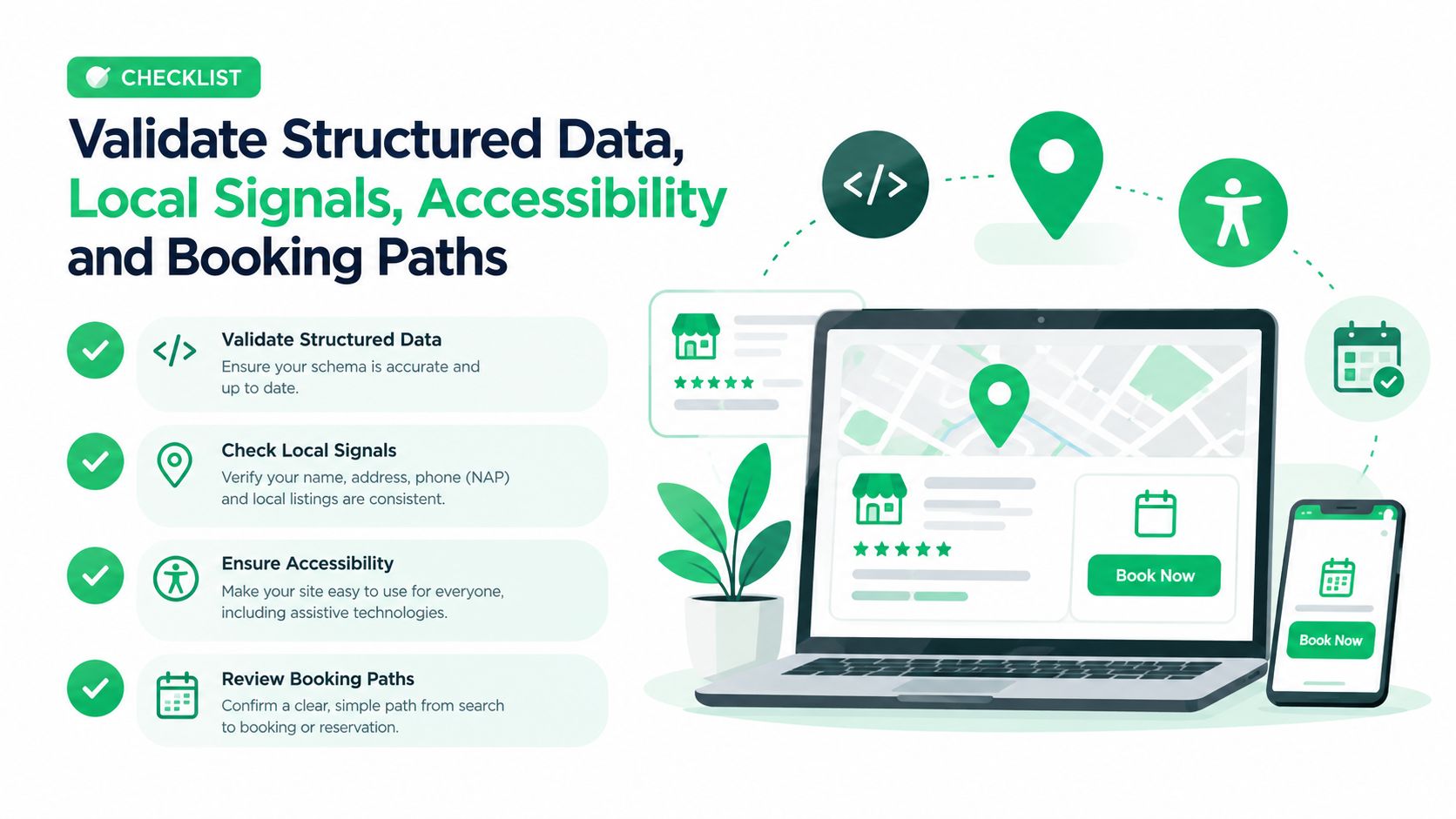
- Validate Structured Data Local Signals Accessibility and Booking Paths
- Prioritise Fixes Measure Results and Plan Next Steps
What a Technical SEO Audit Delivers for Melbourne Dental Practices
A technical SEO audit examines the parts of a website that determine whether search engines and patients can access its important content. For a Melbourne dental practice, that usually means the homepage, treatment pages, suburb or clinic-location pages, contact page and booking journey. It isn't a copywriting review alone, and it shouldn't be reduced to checking rankings.
The audit answers practical questions:
- Can Google discover and read the pages that describe treatments and locations?
- Are the correct URLs indexed, without duplicate or obsolete alternatives competing with them?
- Does the site load and respond properly on mobile?
- Can Google connect the practice with its address, services and local area?
- Can a prospective patient move from search result to appointment without a broken form, confusing redirect or inaccessible control?
Australia's health-service discovery model makes location signals particularly important. healthdirect's Service Finder lets people locate dentists and other providers by suburb or postcode, and state and regional directories use the same location-first pattern, as described in the Australian service-finder context. A Melbourne dentist site therefore needs more than a generic “healthcare” structure. It should expose its clinic location, service areas and relevant suburbs in crawlable, useful ways.
A workforce series tracked quarterly by the Dental Board of Australia since 2012 also gives dentistry an ongoing national statistical record, as outlined in Australia's dental workforce context. That doesn't create a ranking advantage by itself, but it reinforces an important audit principle. A dental website belongs to a regulated health-service market with a measurable national footprint, so historical changes in visibility should be assessed alongside clinic growth, location changes, new services and technical releases.
What the practice needs to provide
A meaningful audit normally requires access to Google Search Console, Google Analytics or another analytics platform, the website CMS, the booking platform and Google Business Profile where available. A crawl using a tool such as Screaming Frog can supplement Search Console, but it can't replace real-user data or a manual booking test.
The time required depends on the number of locations, templates, booking integrations and historical migrations. A small single-location site can be reviewed in a focused audit, while a multi-clinic practice needs URL grouping and a wider comparison of location templates.
A useful Melbourne local SEO checklist can support the local part of the review, but the technical audit should still produce an issue register with evidence, affected URLs, severity, recommended action and owner. The valuable deliverable is a practical sequence of fixes, not a score.
Check How Google Crawls and Indexes Your Dental Website
The first hands-on check is access. Before improving page copy, links or design, the practice needs to know whether Google can find, render and store the right URLs. Google Search Console's recommended workflow starts with verifying ownership, checking whether Google can find and read pages, and submitting a sitemap, as set out in this Search Console setup guidance.
Start with the real URL inventory
List the URLs that support patient acquisition:
- Core services: General dentistry, emergency dentistry, cosmetic dentistry, implants and other treatments offered.
- Locations: The clinic's Melbourne suburb, nearby service areas where relevant, and separate locations only where a genuine practice presence exists.
- Conversion pages: Contact, phone, appointment and booking URLs.
- Supporting content: Useful guides that link to treatment pages rather than isolated blog posts.
Open Search Console's Pages report and compare indexed, excluded and error URL groups against that inventory. A service page marked noindex, a suburb page blocked by robots.txt or a booking URL excluded after a redesign can matter more than many low-priority warnings elsewhere on the site.
Use URL Inspection on representative pages. Check the indexed URL, canonical selected by Google, last crawl information and whether the page can be rendered. Inspect the live URL as well, because a page that was accessible last month may now be blocked by a template update, plugin setting or migration rule.
Practical rule: A page can't generate organic enquiries if the intended version isn't available to search engines and patients.
Review sitemap and robots controls
The XML sitemap should contain the preferred, live URLs the practice wants indexed. It shouldn't act as a dump of old booking parameters, staging paths, duplicate suburb pages or redirected URLs. Submit it in Search Console and investigate any mismatch between submitted and indexed pages.
Robots.txt controls crawling, while noindex controls indexing. They solve different problems. A robots block can prevent Google from seeing a page's instructions, so removing a block may be necessary before a noindex directive can be processed. Check both controls, along with canonical tags, server responses and internal links.
Soft 404s deserve close attention on local sites. A thin suburb page may return a normal status code while offering little unique value or clear connection to the practice. Rather than creating many near-identical suburb pages, keep pages that serve a genuine patient need, add real clinic and service information, and redirect or remove weak alternatives where appropriate.
The accompanying architecture diagram shows how crawl paths, canonical signals and internal links should support the practice's service and location hierarchy.
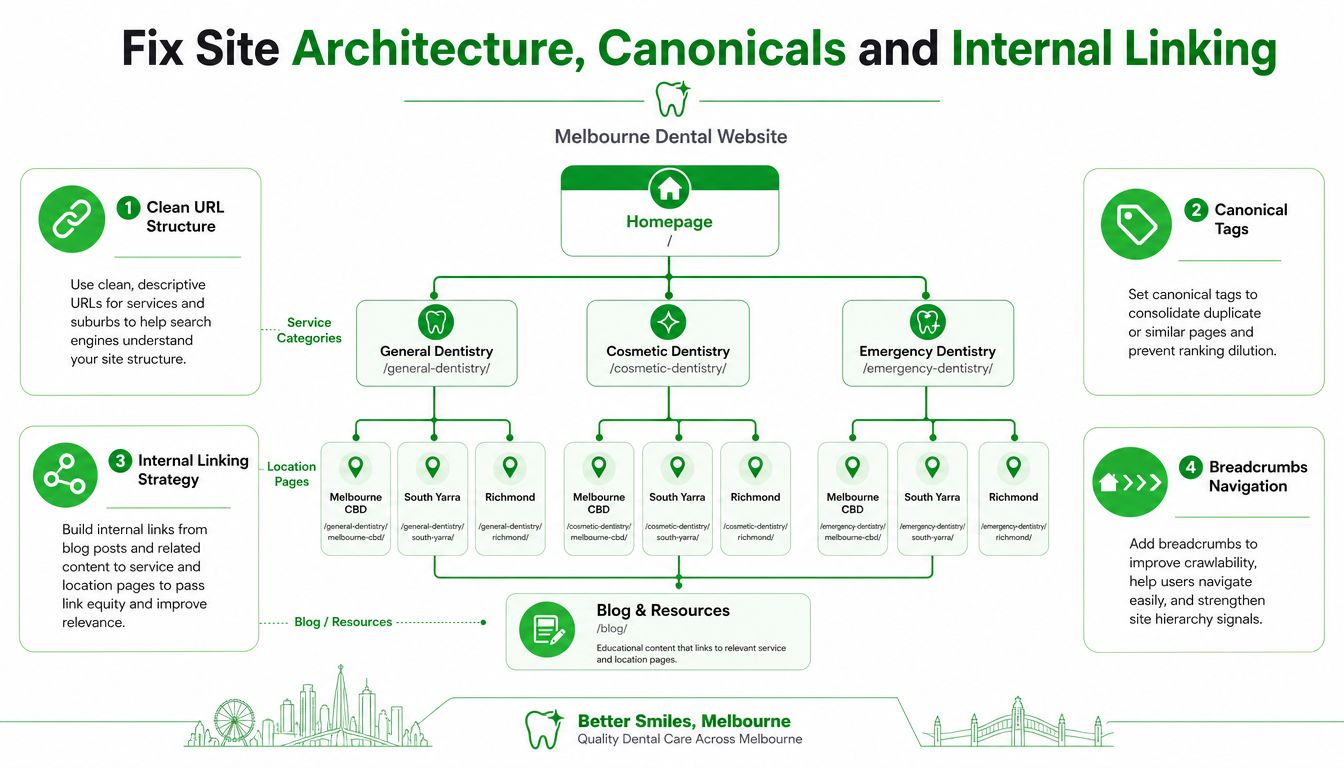
A technical SEO audit service can combine the Search Console review with a full crawl, but the diagnostic order remains the same. First identify important URLs, then determine which are indexed, excluded or inaccessible, and only then decide whether the cause is a directive, link problem, canonical conflict or weak page.
Fix Site Architecture Canonicals and Internal Linking
Indexing tells the practice whether Google has stored a page. Architecture determines whether Google and patients understand how that page fits into the site. A clean dental website usually has a direct path from the homepage to service categories, individual treatment pages and genuine clinic-location pages.
The problem isn't that URLs must follow one perfect pattern. The problem is ambiguity. Variants such as /dentist-melbourne, /melbourne-dentist and /dentist-melbourne-cbd may describe the same intent, different clinics or different audiences. If the pages aren't meaningfully distinct, they can divide signals and make it unclear which URL should appear.
Map the intended hierarchy
A useful audit spreadsheet can include:
| Level | Example purpose | Audit question |
|---|---|---|
| Homepage | Practice entity and primary location | Does it link to key services and clinic information? |
| Service category | General, cosmetic or emergency dentistry | Is the category useful, or just a thin menu page? |
| Treatment page | One specific patient need | Is the page linked from navigation and relevant content? |
| Location page | Melbourne CBD, South Yarra or Richmond where genuinely relevant | Does it describe a real service relationship and location context? |
| Booking path | Appointment form or booking system | Can users reach it from every high-intent page? |
Every important page should have a clear internal route. Orphaned suburb pages, pages reachable only through a sitemap, and service pages hidden behind scripts are weaker than pages linked naturally from navigation, breadcrumbs and relevant body copy.
Internal links should use descriptive wording that helps patients choose the next step. A page about emergency dental care can link to the appointment path and contact page. A guide about tooth replacement can link to the relevant treatment page. A blog post shouldn't collect organic visits while leaving the practice's commercial page disconnected.
Resolve canonical confusion
A canonical tag suggests the preferred version of similar URLs. It isn't a substitute for removing unnecessary duplicates, fixing internal links or redirecting obsolete pages. Audit whether each indexable page points to itself when appropriate, whether duplicate versions point to the correct preferred URL, and whether Google agrees with the declared canonical in Search Console.
Booking subdomains need special care. A third-party system may be technically separate from the main site, use its own canonical rules or rely heavily on JavaScript. The audit should confirm that the main website links to the correct appointment path, that tracking survives the hand-off, and that no important explanatory page has been replaced by an inaccessible or poorly labelled booking URL.
A canonical consolidates signals, but it doesn't turn two different patient experiences into one useful page.
Use redirects for permanently replaced URLs, canonicals for closely related alternatives where the preferred page remains appropriate, and removal or noindex decisions for low-value pages. The correct choice depends on the page's purpose and whether it has useful search or referral value.
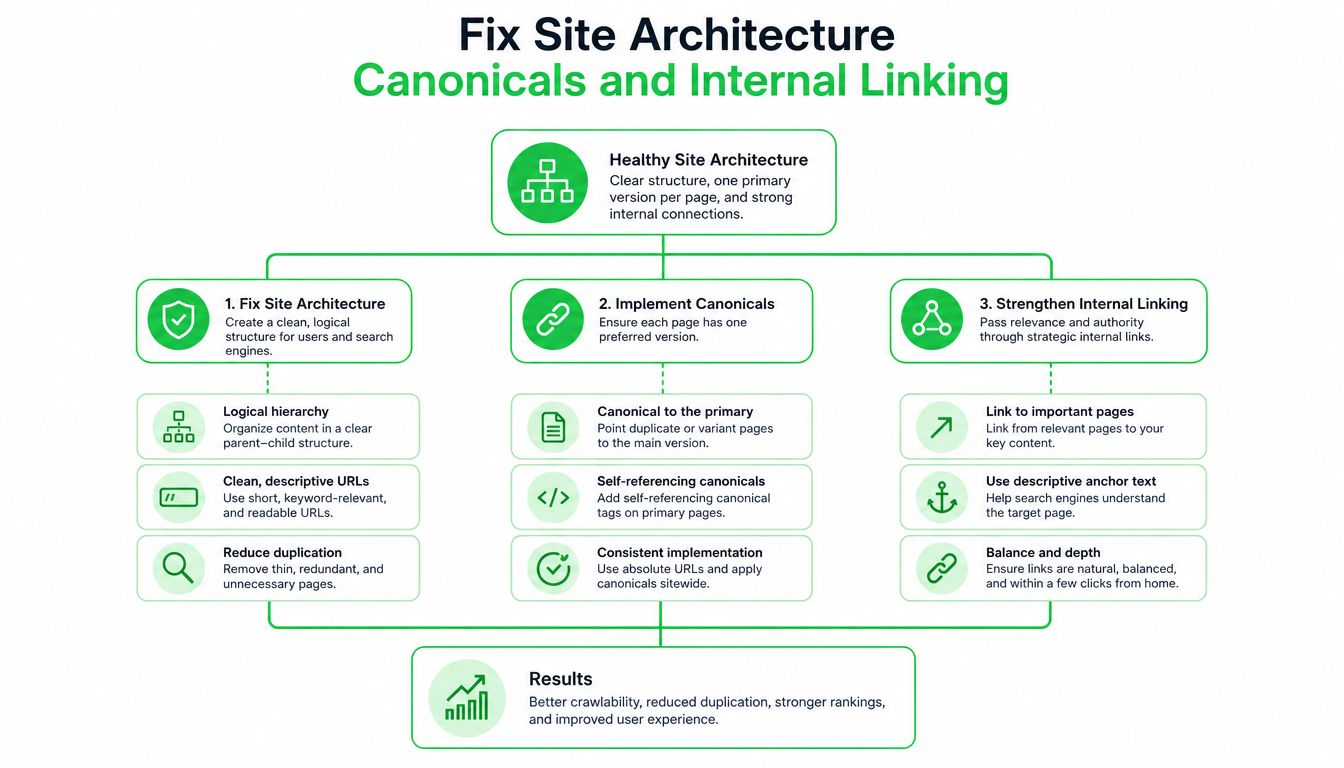
A flatter structure usually works better than a maze of location permutations. It gives patients fewer decisions, gives crawlers clearer paths and makes future service additions easier to manage. Architecture changes should be tested carefully, especially after a CMS migration, because changing URLs and navigation together can create several interacting problems.
Test Site Speed and Core Web Vitals on Key Patient Pages
Performance testing should focus on page groups, not just the homepage. Google Search Console reports Core Web Vitals using groups of URLs, while PageSpeed Insights helps diagnose representative templates. For a dental site, the priority set usually includes the homepage, main location page, highest-intent service pages and booking page.
Google's pass criteria are LCP of 2.5 seconds or less, INP of 200 milliseconds or less, and CLS of 0.1 or less at the 75th percentile of real-user visits, according to Google's Core Web Vitals documentation. LCP measures how quickly the main content appears, INP reflects interaction responsiveness, and CLS measures unexpected movement during loading. Search Console also groups results into pass, needs improvement and poor bands, which helps separate urgent template problems from isolated outliers, as explained in this Core Web Vitals reference.
Read the metrics in context
| Metric | Pass threshold | Common dental site cause |
|---|---|---|
| LCP | ≤ 2.5 seconds | Oversized hero image, slow server response or delayed main heading |
| INP | ≤ 200 milliseconds | Heavy booking widget, excessive JavaScript or third-party scripts |
| CLS | ≤ 0.1 | Late-loading booking elements, image dimensions missing or shifting banners |
The Australian median mobile internet download speed reached 103.46 Mbps in early 2025, up 10.2% year on year, according to the Australian digital marketing statistics source. That context matters during diagnosis. A practice shouldn't assume a poor mobile experience is caused only by patients having slow connections. Server response time, unused JavaScript, large media and unstable embedded tools are often the more useful places to investigate.
Before changing anything, record the affected URL group and the field or lab evidence. Field data reflects real users, while a PageSpeed test is a controlled diagnostic. Both are useful, but they answer different questions. A single lab result shouldn't justify rebuilding an entire site if the real-user group already passes, and a passing lab result shouldn't hide poor field performance on a key template.
Fix the expensive elements first
Dental websites commonly use clinical galleries, treatment videos, review widgets and online booking tools. Images should be sized for their display area, compressed appropriately and served in modern formats where the platform supports them. Before-and-after galleries need particular attention because a page can look polished while loading far more media than a patient needs before making contact.
Third-party scripts require a trade-off. A booking widget may be essential to conversion, but extra chat, tracking and review scripts can compete for main-thread time. The sensible approach is to keep necessary functionality, defer non-critical scripts where possible, and confirm that the booking journey still works after each change.
A service page also needs content that answers patient questions and provides a clear next action. Practical guidance on what a good SEO service page should include can complement the technical test, but speed work should begin with the elements that delay rendering or disrupt interaction. Re-test the same URL groups after deployment, because an apparently successful image or script change can introduce layout movement elsewhere.
Validate Structured Data Local Signals Accessibility and Booking Paths
A technically crawlable page can still fail the patient. The practice name, address and phone number may be inconsistent, the location may be buried in an image, the form may be unusable with a keyboard, or the booking button may disappear on a small screen. These checks belong in the same audit because discovery only creates value when people can understand the practice and complete the next action.
Make the local entity unambiguous
Review the visible business details first. The clinic's name, address, phone number, opening information and service area should be accurate and consistent across the website and relevant business profiles. Suburb references should accurately describe the practice and its service relationship, not create a page for every nearby area without useful local information.
Structured data can help search engines interpret the entity. Google's Search Console guidance recognises medical-related business types within the organisation schema ecosystem, so a dental practice can assess suitable Dentist or medical local-business markup alongside accurate organisation details, as covered in Google's Search Console documentation. Markup should reflect visible page content and should be tested for syntax and eligibility. It won't compensate for incorrect addresses, duplicate entities or weak location pages.
Check that the markup identifies the correct practice, location and website relationship. Multiple clinics may need separate location entities, while a single practice shouldn't publish confusing alternatives for old addresses. Keep the implementation conservative. Unsupported or misleading properties create maintenance risk without improving patient understanding.
Treat accessibility as a search and conversion check
Accessibility isn't a decorative compliance item. A patient needs to see text clearly, identify controls, complete a form and understand an image or error message. Review:
- Colour contrast: Text and buttons should remain readable against their backgrounds.
- Tap targets: Phone, menu and booking controls need enough usable space on mobile.
- Keyboard navigation: A patient should be able to move through menus, forms and booking controls without a mouse.
- Alt text: Informative images need useful descriptions, while decorative images should not create noise.
- Labels and errors: Form fields need clear labels, and failed submissions should explain what requires attention.
- Focus states: Keyboard users need to see which control is active.
Australian accessibility guidance for website audits commonly treats these issues as connected to usability and search performance, as shown in this website audit resource. The technical review shouldn't claim that every accessibility issue directly changes rankings. The stronger point is practical: inaccessible pages can prevent people from using content and booking tools, which undermines the purpose of local visibility.
Follow the appointment path end to end
Test the booking journey on a mobile device and in a normal browser session. Confirm that the booking page is internally linked, indexable when it should be, canonically handled, measurable and usable without unexpected redirects. Some booking pages should remain out of search results because they contain temporary steps or private session states. The audit decision should follow the page's purpose, not a blanket rule that every appointment URL must rank.
Australian dental SEO guidance repeatedly identifies crawlability, site speed and indexability as core technical factors, while giving less attention to booking-system handling, as discussed in this dental SEO resource. A complete audit checks whether a recent booking-platform change has broken canonical signals, removed internal links, altered analytics events or left patients at a dead end.
The final test isn't whether the booking button exists in the source code. It's whether a patient can tap it, understand the next step and complete the path.
Record calls, form submissions, booking completions and key tap actions in analytics where privacy and platform settings allow. Test failure states as well as successful submissions. A form that works only when every field is perfect can still lose enquiries if its validation messages are unclear or hidden below the viewport.
Prioritise Fixes Measure Results and Plan Next Steps
An audit becomes useful when the practice can decide what to fix first. Rank each issue by patient impact, search impact, implementation effort and risk. A blocked treatment page or broken booking path usually deserves attention before a minor metadata inconsistency, while a large template change needs staging and rollback planning.
A simple priority register can separate work into three groups:
- Immediate access and conversion issues: Blocked pages, incorrect redirects, broken forms, missing booking links and serious mobile failures.
- Structural improvements: Duplicate location URLs, canonical conflicts, orphaned service pages, weak breadcrumbs and incomplete internal linking.
- Quality and resilience work: Image optimisation, script reduction, structured-data refinement, accessibility improvements and clearer measurement.
Measure the change against the affected URL group rather than expecting an instant site-wide movement. Search Console can show indexing and performance signals, while analytics can connect organic landing pages to phone taps, form submissions and appointment actions. Rankings remain useful context, but a ranking report alone won't reveal whether patients complete the journey.
Keep a change log with the release date, affected templates, URLs, implementation notes and observed result. Re-crawl after important deployments and re-check Search Console for coverage, canonical and enhancement changes. A regular review is particularly important after CMS updates, booking-platform changes, new clinic locations or navigation redesigns.
The technical layer also supports broader local and content work. Once Google can consistently access the right pages, the practice can improve treatment content, local relevance and authority without asking those activities to compensate for blocked or unstable foundations. The SEO for dentists service overview provides one example of how technical, local, on-page and measurement work can be organised together.
Specialist help is sensible when the site has several locations, a separate booking domain, a recent migration, conflicting templates or limited development access. A small practice can still complete the first diagnostic pass internally, provided the team records evidence and avoids making broad changes without testing.
The key takeaway is simple: audit access first, then structure, performance, local interpretation, accessibility and booking completion. That sequence keeps technical SEO connected to the reason the website exists, helping Melbourne patients find a suitable practice and take the next step.
SEO2RANK provides technical SEO audits for Melbourne service businesses, including crawl, indexability, architecture, structured data, performance and conversion-path checks. Practices can review the SEO2RANK approach and request a structured assessment if internal resources aren't enough to diagnose or implement the priority fixes.
Find Out What Is Holding Your
Website Back
Get a practical SEO Snapshot showing the biggest issues and opportunities we can see across your search visibility, website and local presence.
GET YOUR FREE SEO SNAPSHOT